
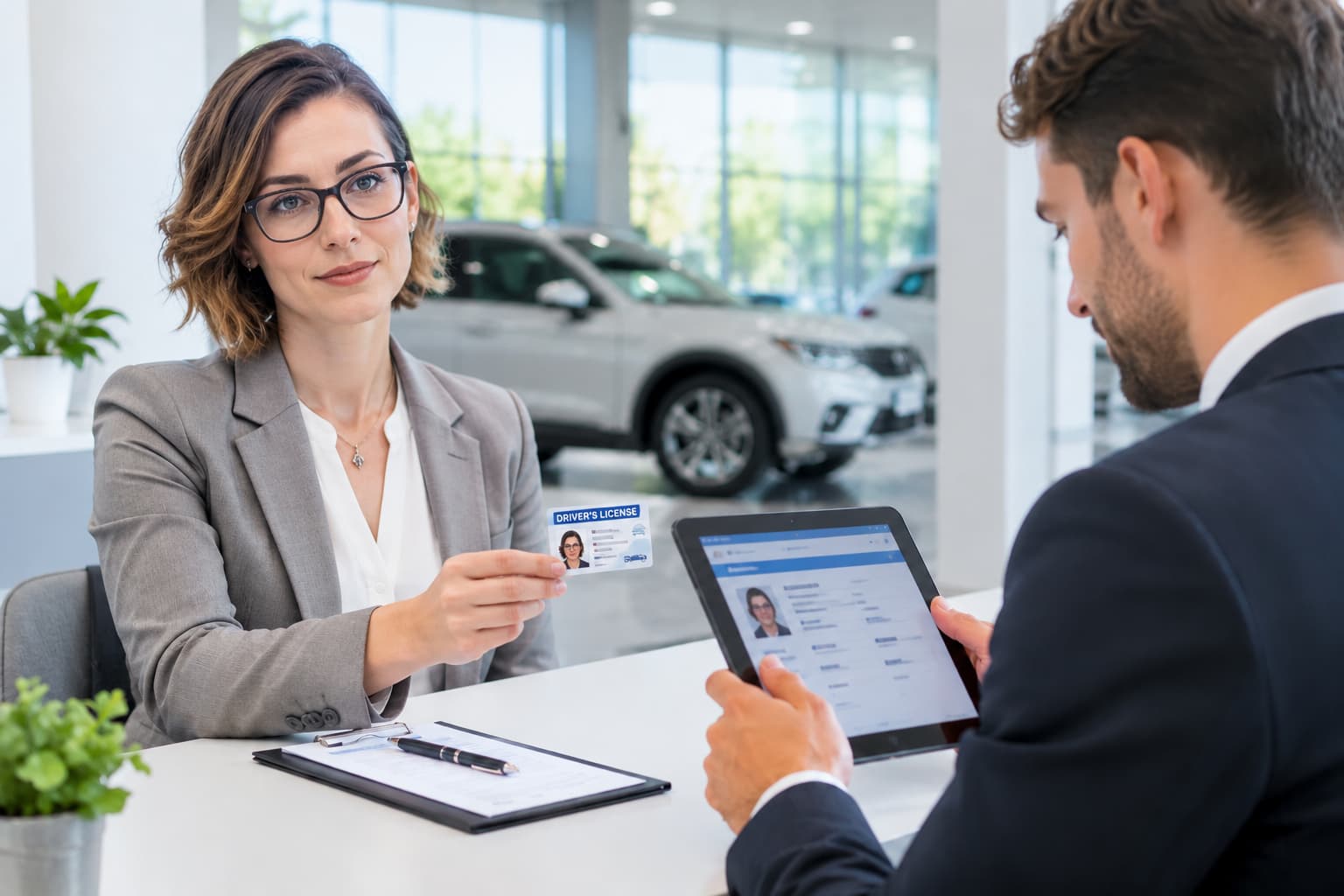
A driver’s license OCR SDK helps businesses automatically capture and extract information from driving licenses without requiring users to enter every detail manually. It uses optical character recognition (OCR), artificial intelligence, and computer vision to convert document images into structured digital information.
Traditional identity verification often involves manual document inspection and data entry. These processes can increase operational costs, introduce errors, and delay customer onboarding.
AI-powered document recognition offers a more efficient approach. Businesses can integrate document scanning into mobile applications, websites, and enterprise software.
From financial services to vehicle rental platforms, automated license data extraction supports many practical applications.
This guide explains how license OCR works, its seven main benefits, real-world applications, security limitations, and SDK integration best practices.
Table of Contents
-
What Is a Driver’s License OCR SDK?
-
How Does Driver’s License OCR Work?
-
Seven Powerful Benefits of Automated License Data Extraction
-
Real-World Applications and Use Cases
-
Security Challenges and Technology Limitations
-
How to Integrate a Driver’s License OCR SDK
-
Frequently Asked Questions and Conclusion
1. What Is a Driver’s License OCR SDK?
A driver’s license OCR SDK is a software development kit that enables applications to recognize driving licenses and automatically extract readable information.
Instead of asking customers to complete lengthy registration forms, businesses can allow users to scan their licenses using a smartphone camera or document scanner.
The software processes the document image and converts recognized information into structured data that an application can use.
What information can license OCR extract?
Depending on the document format and SDK capabilities, the software may recognize the following information.
| Data field | Purpose |
|---|---|
| Full name | Customer identification |
| Date of birth | Age and eligibility checks |
| License number | License record identification |
| Issue date | Document issuance information |
| Expiration date | Document validity checks |
| Residential address | Address information collection |
| License class | Driving category identification |
| Issuing authority | Document origin identification |
| Document portrait | Supporting identity verification |
Not every driving license contains the same information. Supported fields depend on the issuing country, jurisdiction, document version, and recognition software.
Developers can explore the MiniAiLive ID Document Recognition SDK, which documents capabilities for recognizing identity documents, including driver’s licenses.
OCR versus manual data entry
Manual data entry requires a person to read a document and type its information into a system.
OCR automates much of this process. Employees or customers can review extracted information rather than entering every field from the beginning.
This approach can reduce repetitive work while maintaining human oversight when necessary.
2. How Does Driver’s License OCR Work?
Modern document recognition systems combine image processing, machine learning, and character recognition to extract information from physical documents.
A typical driver’s license OCR SDK follows several processing stages.
Step 1: Document capture
The user captures an image of a driving license using a smartphone, webcam, or dedicated scanner.
The application should encourage users to capture the complete document under suitable lighting conditions.
Step 2: Document detection
Computer vision algorithms identify the document within the captured image.
The system separates the license from its background and locates its boundaries.
Step 3: Image preprocessing
The software prepares the image for recognition by applying appropriate processing techniques.
These may include perspective correction, image rotation, contrast adjustment, and noise reduction.
Image preprocessing helps improve readability when documents are captured from different angles.
Step 4: Optical character recognition
OCR algorithms identify printed characters and convert them into machine-readable text.
AI models can also help identify relationships between text labels and their corresponding values.
For example, the system may recognize a date and associate it with the expiration date field.
Step 5: Data extraction and validation
Recognized information is organized into structured fields.
Applications can then apply business rules, such as checking date formats, identifying missing fields, or determining whether a license has expired.
Some licenses also contain machine-readable barcodes. Compatible software can compare barcode information with printed text as an additional consistency check.
The AAMVA Driver License and Identification Standards provide useful information about North American driving license design, security, and interoperability.
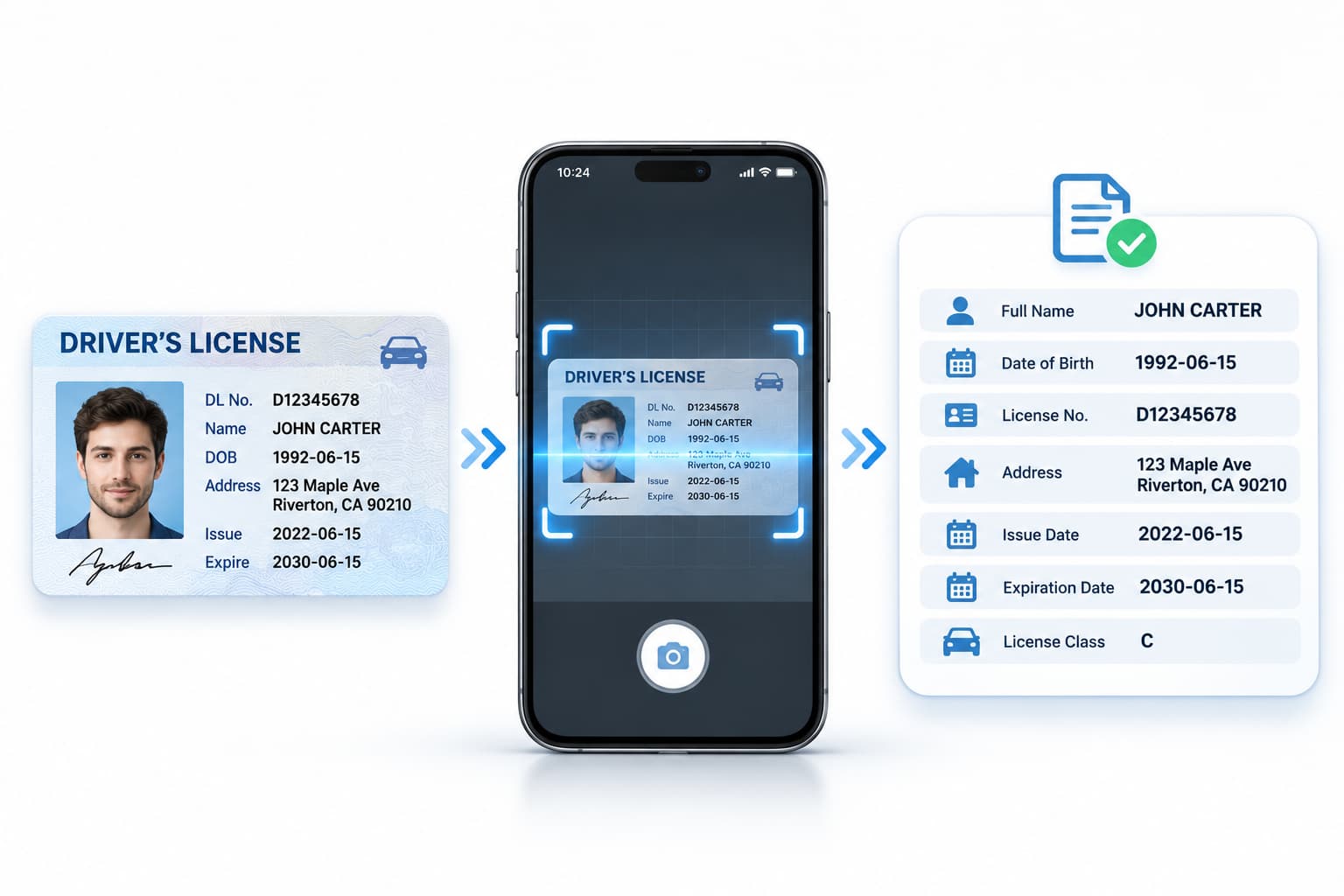
Step 6: Application integration
The application receives extracted information and uses it to populate forms, support customer onboarding, or initiate additional identity verification checks.
Low-confidence results should be reviewed or captured again instead of being accepted automatically.
3. Seven Powerful Benefits of Automated License Data Extraction
Integrating a driver’s license OCR SDK can provide several operational and customer experience benefits.
1. Faster customer onboarding
Customers can scan their driving licenses instead of manually completing multiple identity information fields.
This can shorten registration processes and reduce unnecessary friction.
2. Reduced manual data entry
Automated recognition helps employees spend less time copying information from documents.
Businesses can redirect staff toward customer support, exception handling, and other important tasks.
3. Improved data accuracy
Manual transcription can introduce spelling mistakes, incorrect dates, and missing characters.
OCR can reduce these errors when document images are clear and extracted information is properly validated.
However, recognition errors remain possible. Reviewing uncertain results is essential.
4. Better customer experience
A camera-based document scanning experience can make registration simpler for mobile users.
Customers can provide information through a familiar interface without typing lengthy personal details.
5. Scalable document processing
Businesses that receive large numbers of identity documents can use automated extraction to manage increasing workloads.
This is particularly useful for financial platforms, insurance companies, and transportation services.
6. Support for identity fraud prevention
OCR can help identify inconsistent document information when combined with additional validation techniques.
Businesses can also integrate document authentication, face matching, and liveness detection.
OCR alone, however, cannot determine whether a document is genuine.
7. Improved workflow integration
Structured license information can be transferred into authorized business applications.
This supports more consistent data processing across customer relationship management systems, onboarding platforms, and identity verification software.
4. Real-World Applications and Use Cases
A driver’s license OCR SDK is useful in industries that collect identity information or driving credentials.
Financial services and fintech
Banks and digital financial platforms can use license scanning during customer registration.
Automatically extracted information can populate identity forms before additional KYC checks take place.
Vehicle rental companies
Rental businesses can collect customer license information, check expiration dates, and review relevant driving categories.
Additional checks may be necessary to confirm whether a customer is legally eligible to rent a particular vehicle.
Transportation and logistics
Delivery platforms and transportation companies can streamline driver registration by extracting information from driving licenses.
The extracted data can support credential management and renewal notifications.
Insurance companies
Insurance providers can use document recognition to simplify customer applications and reduce repetitive administrative work.
License information can be reviewed alongside other application details.
Hospitality and digital platforms
Businesses that require identity or age verification can use document scanning to support registration workflows.
The required checks depend on the service, local regulations, and the organization’s risk assessment.
Industry comparison
| Industry | Main application | Potential benefit |
|---|---|---|
| Fintech | Digital onboarding | Faster information collection |
| Vehicle rental | Driver registration | Reduced paperwork |
| Logistics | Driver credential management | Easier record updates |
| Insurance | Customer applications | Less manual processing |
| Hospitality | Identity information collection | Simplified registration |
| Enterprise | Employee onboarding | Consistent document records |
Who should use this technology?
License OCR is particularly relevant to software developers, product managers, compliance teams, identity verification providers, and organizations that regularly process driving licenses.
5. Security Challenges and Technology Limitations
Although automated license recognition offers useful benefits, businesses should understand its limitations before deployment.
Poor image quality
Blurred images, reflections, damaged documents, and insufficient lighting can reduce recognition accuracy.
Applications should provide clear capture instructions and allow users to retake unsuitable images.
Different document formats
Driving licenses vary across countries and issuing authorities.
Document layouts, languages, character sets, and available data fields may differ significantly.
Businesses should test recognition performance against the document types they expect to receive.
Counterfeit and manipulated documents
A driver’s license OCR SDK reads document information. It does not necessarily establish whether that information comes from an authentic document.
A counterfeit license may contain clearly readable text.
Additional security technologies are therefore important for higher-risk applications.
The MiniAiLive ID Document Liveness Detection SDK is a complementary technology designed to address certain document presentation and manipulation attacks.
Personal data protection
Driving licenses contain sensitive personal information.
Businesses should protect this information throughout collection, processing, transmission, and storage.
Recommended security practices include:
-
Encrypting sensitive information in transit and at rest.
-
Restricting access to authorized employees and services.
-
Collecting only necessary information.
-
Establishing appropriate data retention periods.
-
Avoiding unnecessary storage of original document images.
-
Maintaining secure audit records without exposing personal information.
OCR is not complete identity verification
Extracting information, validating a document, and verifying its owner are different processes.
The NIST Digital Identity Guidelines for Identity Proofing and Enrollment provide a useful framework for understanding identity evidence and verification requirements.
Organizations should select additional verification controls based on their specific security needs and applicable requirements.
6. How to Integrate a Driver’s License OCR SDK
Developers can integrate automated document recognition into existing applications by following a structured implementation process.
Step 1: Define business requirements
Identify the documents, countries, data fields, and operating systems that the application needs to support.
Determine whether document extraction alone is sufficient or whether identity authentication is also required.
Step 2: Select a suitable SDK
Evaluate the SDK based on supported platforms, document coverage, integration requirements, processing architecture, and security considerations.
Review the official MiniAiLive Android ID Document Recognition SDK documentation for an example of mobile document recognition integration.
Step 3: Implement document capture
Create an intuitive interface that helps users position their driving licenses correctly.
Provide guidance for lighting, camera focus, and document alignment.
Step 4: Process extracted information
Map recognized information to the appropriate application fields.
The following JSON illustrates a simplified application-level data structure using fictional information.
{
“document_type”: “drivers_license”,
“full_name”: “Sample User”,
“license_number”: “DEMO-0000”,
“date_of_birth”: “1990-05-15”,
“expiration_date”: “2030-05-15”,
“issuing_country”: “US”,
“review_required”: false
}
This is an illustrative example, not the official MiniAiLive SDK response format.
Step 5: Add complementary verification
For applications that require stronger identity assurance, consider combining OCR with document authentication and biometric verification.
The MiniAiLive Face Recognition SDK includes face comparison capabilities that may support an identity verification workflow.
Face liveness detection can provide another layer of protection against certain biometric presentation attacks.
Step 6: Test and monitor performance
Test the application using authorized sample documents across different capture conditions.
Monitor field-level recognition accuracy, processing failures, manual review rates, and customer completion rates.
Use these findings to improve the application over time.
7. Frequently Asked Questions and Conclusion
What is a driver’s license OCR SDK?
It is a software development kit that helps applications recognize driving licenses and convert printed information into structured digital data.
Can OCR detect fake driving licenses?
Not by itself. OCR primarily extracts readable information. Additional document authentication and fraud detection technologies are necessary to evaluate document authenticity.
Can license OCR work on smartphones?
Yes. Mobile-compatible recognition SDKs can process documents captured using smartphone cameras. Supported operating systems and features depend on the selected SDK.
Does license OCR support multiple countries?
Some document recognition solutions support multiple countries and document formats. Businesses should verify the specific countries, languages, and license versions supported by their chosen SDK.
Is automated license data extraction secure?
Security depends on how the technology is implemented. Encryption, access controls, data minimization, secure storage, and appropriate identity verification measures are important.
Key takeaways
-
License OCR converts printed document information into structured data.
-
Automated extraction can reduce manual work and improve onboarding.
-
Document quality and format affect recognition accuracy.
-
OCR should not be confused with document authentication.
-
Combining document recognition with appropriate security controls supports more reliable identity verification.
Conclusion
A driver’s license OCR SDK offers a practical way to automate license data extraction and simplify document processing.
By combining computer vision, artificial intelligence, and optical character recognition, businesses can reduce repetitive tasks and create more efficient digital experiences.
However, successful implementation requires accurate data validation, secure information handling, and appropriate fraud prevention measures.
Explore MiniAiLive’s AI-powered identity verification solutions to learn how document recognition and biometric technologies can support your application’s identity verification workflow.