
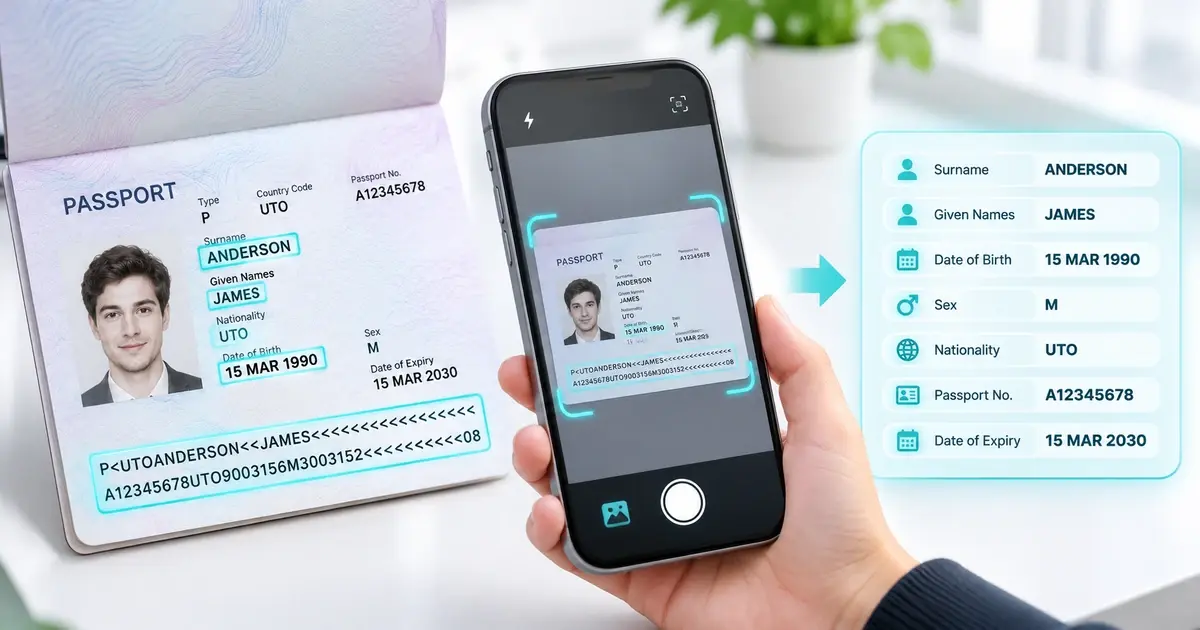
A passport OCR SDK helps applications turn a photograph of a passport into structured data without making users type every detail. It is useful for digital onboarding, travel services, customer identity checks, and other workflows where accurate document information matters. OCR, or optical character recognition, reads printed text from an image. A passport reader goes further by locating document fields, interpreting the machine-readable zone (MRZ), and checking whether the extracted data follows expected rules.
For developers, the challenge is not simply recognizing characters. The whole experience must handle camera glare, unusual names, international document formats, privacy, and errors safely. This guide explains how passport scanning works, which data to validate, how to plan an SDK integration, and where document authentication fits into the process.
What Is a Passport OCR SDK?
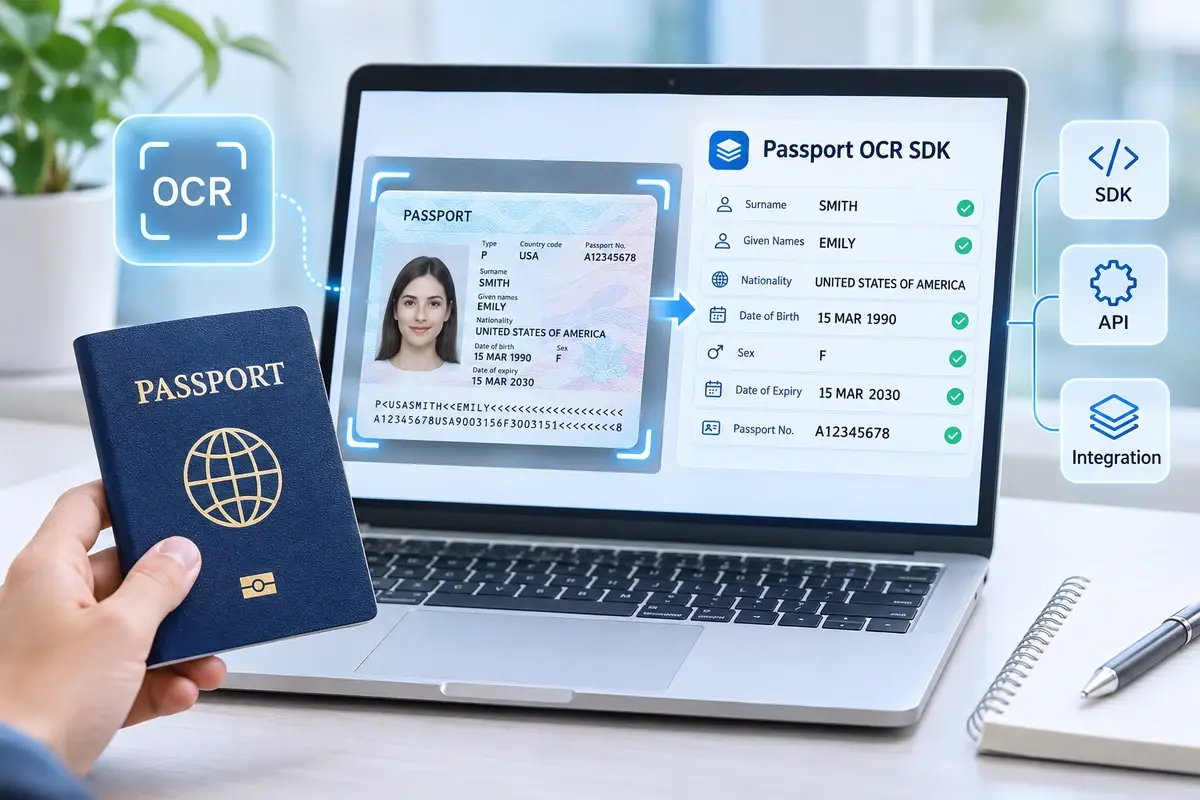
A passport-reading SDK is a software development kit that helps an application capture a passport image, recognize relevant text, and return usable identity fields. Rather than storing one large block of recognized characters, a document reader can organize the results into fields such as surname, given names, passport number, nationality, birth date, and expiry date.
An important part of most machine-readable passports is the MRZ. This is the group of specially formatted characters near the bottom of the identity page. For the common TD3 passport format, it uses two lines of 44 characters. Its layout follows specifications maintained by the International Civil Aviation Organization (ICAO). See the official ICAO Doc 9303 collection for the standards governing machine-readable travel documents.
An SDK may read both the MRZ and the visual inspection zone, which contains the information people see on the page. Comparing the two can help flag inconsistencies. However, successful text extraction does not establish that a passport is genuine or belongs to the person presenting it.
How Passport OCR SDK Data Extraction Works
1. Capture a readable passport image
The workflow starts when a person points a phone camera at the passport’s identity page or uploads an authorized scan. A useful interface provides a framing guide and prompts the user to remove glare, avoid cutting off corners, and keep the page in focus. Good capture quality often prevents errors more effectively than repairing poor images later.
2. Detect and prepare the document
Computer vision identifies the document boundary and relevant reading areas. Image processing may correct rotation, improve contrast, or crop the data page. These steps make the characters easier to recognize, particularly when the camera is tilted or lighting is uneven.
3. Read the MRZ and visible fields
The OCR engine recognizes the MRZ characters and parses them according to their positions. It can also read printed labels and values in the visual zone. Machine learning can help with document detection and character recognition, while rule-based parsing provides predictable structure for standardized MRZ fields.
4. Validate and normalize the output
The application checks MRZ length, supported characters, relevant check digits, and field formats. It then converts dates into a consistent internal representation. For example, the MRZ represents dates with two-digit years, so the application must handle century interpretation carefully rather than assuming the correct century from the digits alone.
5. Return fields or request another capture
The result becomes structured data for a form, database, or identity-verification service. If a critical field is unreadable or conflicts with another field, the application should ask for a new capture or route the case to an appropriate review process. Avoid silently replacing uncertain OCR output with guessed values.

Passport Fields and Accuracy Checks
A passport reader is most valuable when it produces information that the application can validate and use. The fields below illustrate common extraction and review tasks.
| Field | Typical source | Recommended application check |
|---|---|---|
| Full name | MRZ and visual text | Preserve original spelling; handle MRZ truncation and transliteration |
| Passport number | MRZ and printed field | Compare sources; verify the relevant MRZ check digit |
| Date of birth | MRZ and printed field | Validate calendar date and resolve two-digit year carefully |
| Nationality | MRZ | Interpret the standardized three-letter code |
| Expiry date | MRZ and printed field | Check format and whether the date has passed |
| Document portrait | Passport image | Store or process only when needed and legally justified |
Why MRZ check digits matter
ICAO uses calculated check digits for several MRZ elements. A matching digit can help detect transcription mistakes, such as a character misread by OCR. It is a consistency check, not a cryptographic proof of authenticity. A counterfeit image can contain perfectly consistent numbers.
Names also need special care. Accents may be transliterated, and long names may be shortened to fit the MRZ. Therefore, an exact string comparison with the visual name field can reject a legitimate passport. Developers should define a comparison policy that understands the standard’s formatting rules.
Measuring accuracy in realistic conditions
Test more than a handful of ideal sample images. Include supported passports with different layouts, names, lighting conditions, camera models, and degrees of wear. Measure field-level correctness, the rate of successful first captures, recapture frequency, and the number of cases requiring human review. Track latency separately from accuracy; a quick wrong answer is not a useful improvement.
How Developers Can Integrate a Passport OCR SDK
Choose the processing architecture
Decide whether the application should process scans on a device, on a company-controlled server, or through a separately operated service. This decision affects network access, latency, infrastructure, licensing, and which system handles personal data. Confirm the exact deployment model supported by the SDK version you plan to use.
MiniAiLive’s ID Document Recognition solution describes OCR, MRZ parsing, document detection, and portrait extraction, with mobile and server integration options. The ID Document Recognition SDK documentation explains the documented capabilities and available product variants. These are useful starting points for checking platform support before implementation.
Build a reliable application flow
A practical design separates image capture from business decisions:
- Capture: obtain a clear image through a guided camera interface.
- Process: send it to the authorized OCR component using the integration method documented for that platform.
- Normalize: map returned fields into your own typed schema, keeping original field values where needed.
- Validate: check MRZ digits, dates, missing values, and cross-field agreement.
- Decide: accept usable data, request recapture, or send uncertain results for review.
- Protect: apply access limits, retention rules, and safe error handling throughout.
For a server deployment, avoid copying a demonstration endpoint directly into production without reviewing its authentication, transport, and configuration. Keep configuration details in environment-specific settings. Do not log raw passport images or full passport numbers while troubleshooting.
Design the response contract
Your application can define a normalized response with a document type, parsed identity fields, validation outcomes, and a status such as accepted, recapture_required, or manual_review. These are suggested application-level fields, not a claim about MiniAiLive’s actual API response format. Make missing values explicit instead of turning them into empty-but-plausible strings.
Security, Privacy, and Common Limitations
Passport information is sensitive. Limit collection to what the workflow genuinely needs, encrypt data in transit and at rest, restrict access by role, and set a documented deletion schedule. Where possible, avoid retaining the original image after legitimate processing needs have ended. Ensure your legal and privacy teams review applicable consent, notice, and data-protection obligations.
An upload endpoint is also a security boundary. The OWASP File Upload Cheat Sheet recommends controls such as allowlisted file types, content validation, size limits, safe storage, and authorization checks. Apply them even when uploads are intended to contain only passport photos.
OCR is not document authentication
OCR can read text from a scanned image, but it cannot alone prove that a physical passport is present. For stronger identity checks, businesses may need document presence or liveness tests, tamper analysis, face matching with appropriate safeguards, or cryptographic verification of supported e-passport chips. These are separate checks and should not be described as automatic results of OCR.
MiniAiLive offers a separate ID Document Liveness Detection SDK for assessing document-presentation attacks. The NIST digital identity proofing requirements also distinguish evidence validation, matching data with the printed document, and document presence checks in applicable identity-proofing workflows.
What can still go wrong?
Glare, motion blur, low resolution, damaged pages, reflections from security features, and unusual document types can reduce reading quality. Errors can also occur when applications mishandle international characters or incorrectly interpret dates. A well-designed system provides understandable recapture instructions and a review path rather than promising flawless extraction.
Frequently Asked Questions
Can passport recognition software read every passport?
Not necessarily. Support depends on the vendor’s document coverage, SDK version, image quality, and whether the passport format is included. Test the countries and document editions that matter to your users.
Is reading the MRZ enough for KYC verification?
No. MRZ parsing helps extract and check identity data, but a KYC workflow may also require document authenticity checks, identity matching, screening, and other controls determined by applicable regulations and risk requirements.
Can passport OCR work without internet access?
Some SDKs support local or on-premises processing, while others require a remote service. Confirm the architecture and licensing requirements of the exact package being evaluated.
How can developers improve extraction accuracy?
Use guided capture, reject blurry images early, compare MRZ and visible fields, validate check digits, test diverse documents, and create a clear recapture or review process for uncertain results.
Conclusion
A passport OCR SDK can make passport data entry faster and more consistent, but reliable results depend on the whole workflow. Developers should start with good capture, parse the MRZ correctly, validate extracted fields, and protect sensitive information. They should also treat OCR and document authentication as different capabilities.
To evaluate a practical implementation, explore MiniAiLive’s ID Document Recognition SDK and test it with representative passport images before making production decisions.