
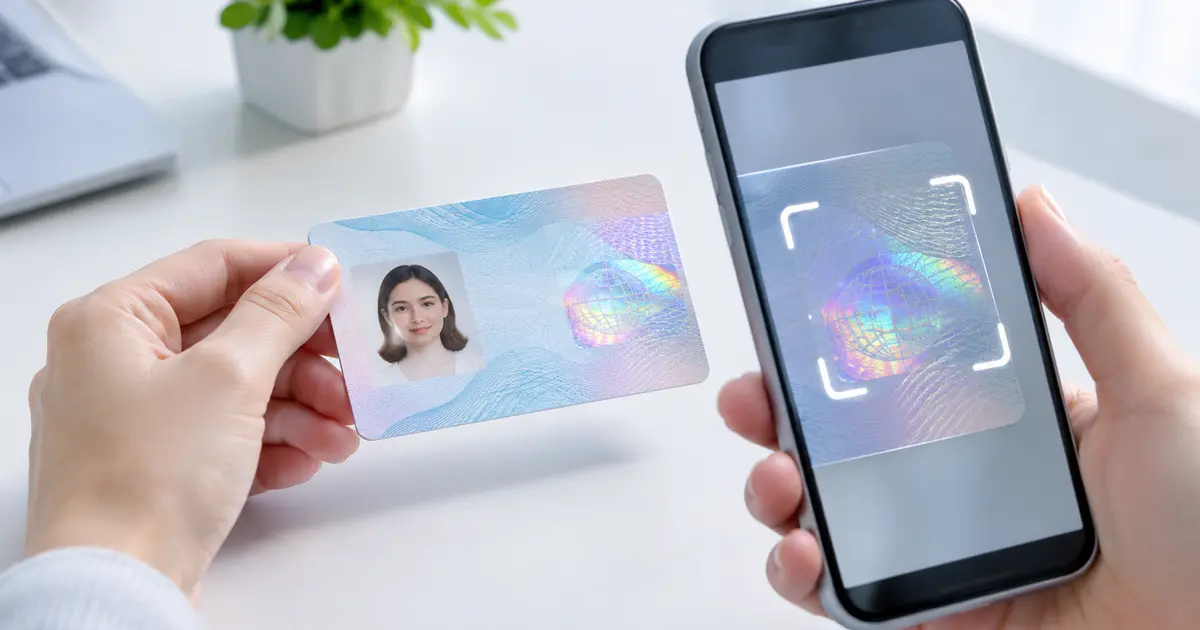
A hologram detection SDK helps identity verification systems inspect one of the security features that can be difficult to reproduce convincingly: the optical effects on a physical ID card or passport. As more services move customer onboarding online, a clear image and readable text are no longer enough to establish that a document is genuine.
Holographic elements may change color, reveal patterns, or shift in appearance when a document is tilted. Computer vision can examine some of these changes and flag unexpected results for further review. This article explains how hologram analysis works, which counterfeit signals it can reveal, and how developers can combine it with document recognition, liveness checks, and secure identity workflows. It also covers the limitations that teams should consider before deploying an SDK.
Table of Contents
- What Is a Hologram Detection SDK?
- How a Hologram Detection SDK Works
- Why Hologram Checks Help Identify Counterfeit IDs
- Combining Hologram Inspection With Other ID Checks
- Implementation Challenges, Accuracy, and Privacy
- Frequently Asked Questions
- Conclusion: Better Document Verification
What Is a Hologram Detection SDK?
A software development kit (SDK) supplies code and tools that developers can integrate into a website, mobile app, or verification system. A hologram detection SDK focuses on analyzing holographic or related optically variable security features on supported identity documents. The goal is to collect evidence about the document’s physical security features, not merely read the name or birth date printed on it.
A hologram is often part of an optically variable device (OVD). Its appearance depends on how light reaches the surface and how the observer views it. Some genuine documents use other optical effects rather than a conventional hologram, so the exact expected feature depends on the issuing authority and document version.
The U.S. National Institute of Standards and Technology lists holograms and optically variable features among physical security measures that can make identity evidence harder to reproduce. Its Digital Identity Guidelines for identity proofing also recognize optical inspection as one way to examine physical documents.
Hologram analysis is different from optical character recognition (OCR). OCR extracts visible text. Hologram detection looks for optical security behavior and visual patterns. A robust onboarding system may need both.
How a Hologram Detection SDK Works
Capture the document from useful angles
A typical camera-based workflow starts by locating the document in the camera view. The software checks whether the image is sharp enough and whether important areas are visible. Depending on the implementation, the user may be asked to tilt the card while the camera records several frames.
This movement matters because a single photograph cannot reliably show every angle-dependent effect. The European Union’s PRADO guidance on document examination recommends tilting documents to inspect optically variable features. Software can use a related principle, although the exact capture method depends on the SDK and device.
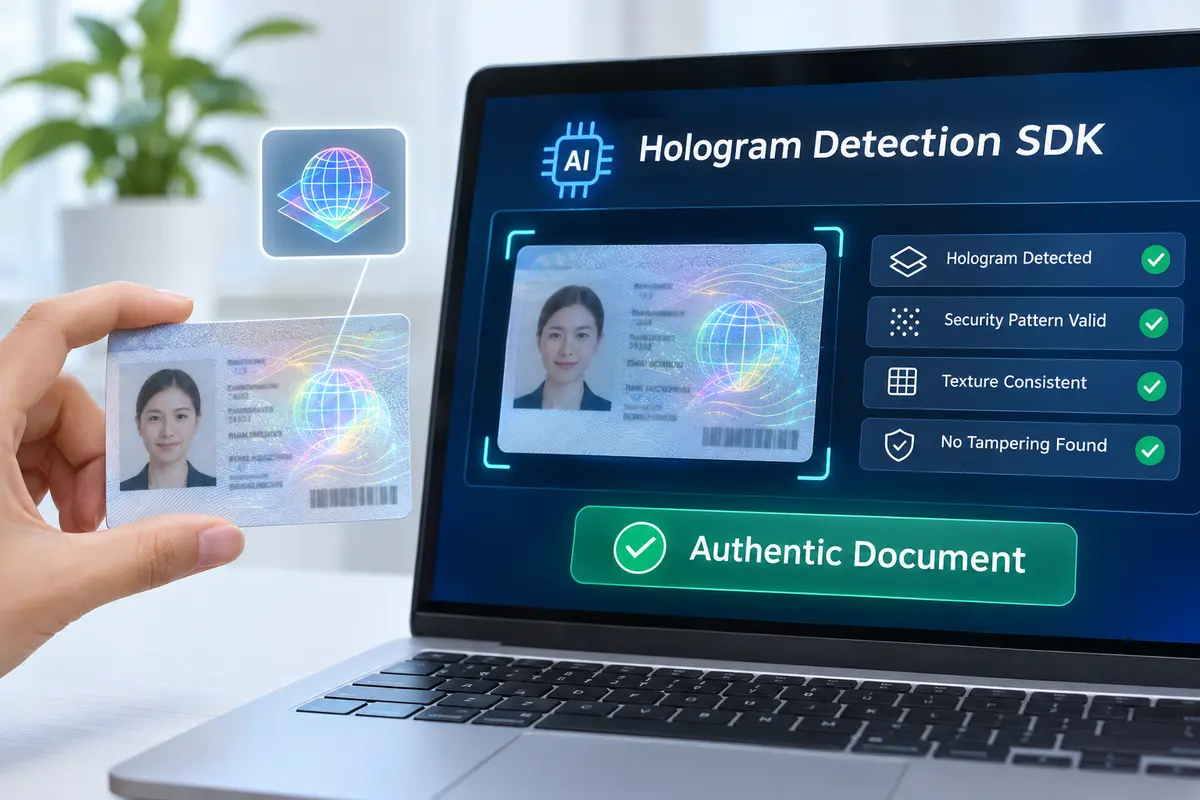
Analyze five useful security signals
An AI-assisted inspection system may assess the following signals when suitable reference data and image quality are available:
- Feature location: Is the holographic element in the expected area for that specific document design?
- Shape and visual pattern: Does the observed symbol or structure resemble the expected security feature?
- Change across angles: Does the feature respond to movement and lighting in an expected way?
- Surface consistency: Are there visible irregularities around an overlay or laminated region that merit closer inspection?
- Template consistency: Do the optical features match the document type, issuing country, and relevant version?
These are examples of checks a system could use, not a guarantee that every commercial SDK implements each one. AI models may compare captured frames with reference examples, extract visual features, and combine several signals into an assessment.
Return a decision-support result
An application can use an inspection result to continue, request a better capture, or send a case to manual review. The exact result fields and thresholds depend on the product. A suspicious or missing hologram signal should not automatically be interpreted as proof of forgery: some legitimate documents have different features, and glare can hide a real hologram.
Why Hologram Checks Help Identify Counterfeit IDs
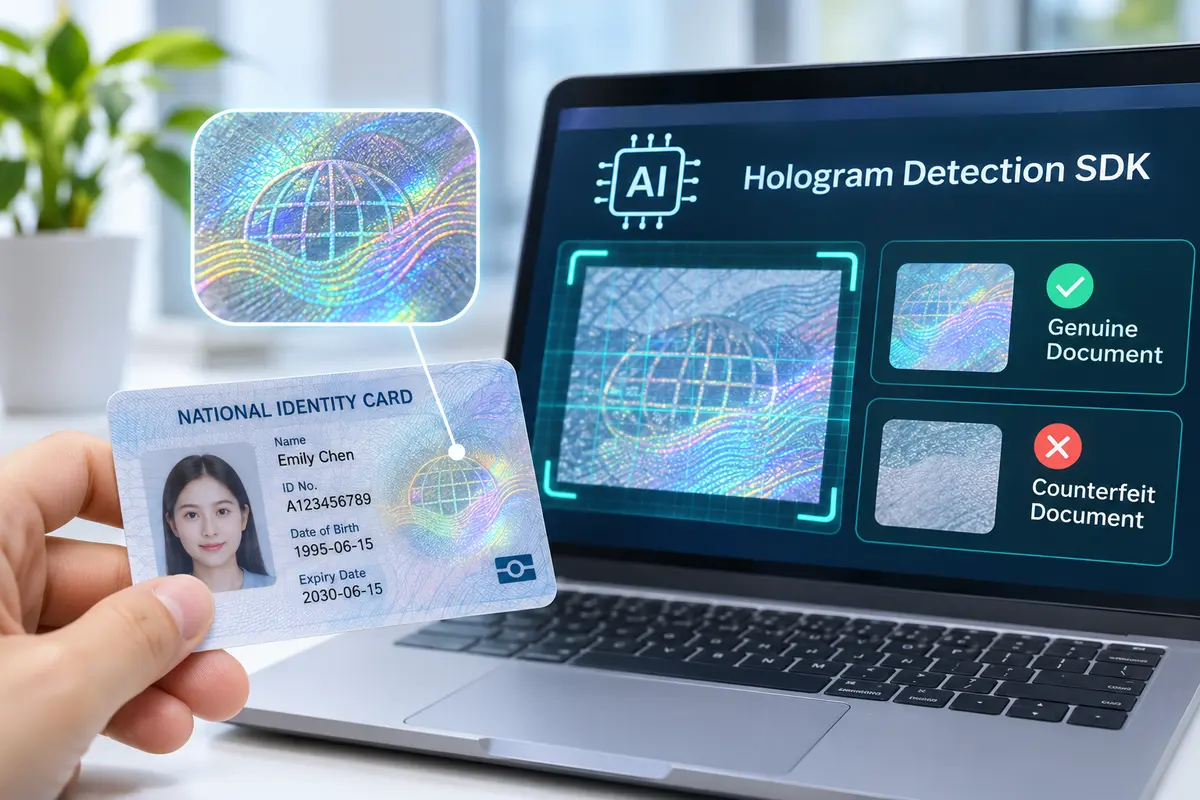
Counterfeit documents can look convincing in a still image. A printed copy or screen replay may reproduce the visible photo, layout, and text while failing to recreate the optical behavior of a physical security feature. Multiple viewing angles can therefore provide evidence that a flat image alone cannot.
Consider a remote customer onboarding session. A person presents what appears to be a valid identity card. OCR reads the fields successfully, and the portrait appears clear. During the next step, the app asks for a slight tilt. The expected optical change is not visible. That finding could trigger an additional capture or review instead of an immediate approval.
The reverse is important too. An apparent hologram does not prove the whole card is genuine. Counterfeiters may imitate visible effects, a genuine card may be altered, and a stolen genuine document may belong to someone else. Hologram detection is most useful as one signal within a larger document-authentication process.
For businesses, the practical benefit is better information for risk decisions. Teams can separate unreadable captures from potentially suspicious features, reduce dependence on manual visual checks, and give reviewers a clearer reason to inspect certain documents. The size of any improvement must be measured using the actual documents, cameras, and fraud scenarios in the deployment.
Combining Hologram Inspection With Other ID Checks
No single technique answers every identity question. Document recognition answers what information is printed. Document authentication examines whether the evidence appears genuine. Identity verification then considers whether the person presenting that evidence is its rightful holder.
| Technology | Main purpose | Important limitation |
|---|---|---|
| OCR and document recognition | Read names, dates, numbers, and document type | Readable text can also appear on a counterfeit |
| Hologram or OVD analysis | Examine optical security behavior | Capture quality and document design affect results |
| Document liveness detection | Look for certain printed-copy or screen-replay attacks | Does not prove the holder’s identity |
| NFC chip verification | Check electronic data where supported | Needs a compatible chip, device, and verification method |
| Face matching and face liveness | Compare the presenter with the portrait and check for presentation attacks | Accuracy and attack resistance vary by implementation |
Where MiniAiLive fits
MiniAiLive’s ID Document Liveness Detection SDK describes hologram-based checks alongside other document-presentation analysis. Its September 2026 ID SDK 2.3 announcement identifies hologram detection, NFC-related verification, ID recognition, and document liveness capabilities. These are product-reported features; the current supported-document list, platform support, and required capture methods should be confirmed before implementation.
An example workflow might be:
Document capture → Document type recognition → OCR → Hologram and other authenticity checks → Document liveness → Optional NFC verification → Face verification → Risk-based decision
The sequence is illustrative. A deployment may reorder or omit steps based on available hardware, document types, business needs, and regulatory requirements. Optional chip verification can add a different kind of evidence, but it is not available for every ID.
Implementation Challenges, Accuracy, and Privacy
Support real-world document and camera variation
Countries and issuers update security designs over time. Two authentic documents from the same country may not share exactly the same holographic pattern. Before launch, ask which document versions the SDK supports, how reference templates are updated, and what happens when the document type is unknown.
Smartphone cameras also vary in focus, exposure, frame rate, and glare handling. Low light, bright reflections, scratched covers, or excessive movement can make a valid feature difficult to analyze. Clear on-screen guidance and a limited number of well-designed retries are often better than automatically rejecting poor images.
Measure errors, not just successful demos
Testing should include genuine and counterfeit examples where legally obtainable, different lighting conditions, and representative devices. Track false accepts (suspicious documents that pass), false rejects (genuine documents that fail), and cases requiring human review. Evaluate these outcomes by document type and capture conditions rather than relying on a single overall accuracy claim.
Keep separate outcomes for feature not visible, feature inconsistent, and document unsupported when the SDK provides enough information. This prevents missing data from being treated as the same event as a detected anomaly. High-risk applications should have documented escalation and review procedures.
Protect sensitive identity data
ID images can contain names, dates of birth, document numbers, faces, and other personal information. Encrypt data in transit and at rest, restrict staff access, set an appropriate retention period, and log access to sensitive records. Decide whether processing must occur on-device, in your own infrastructure, or through a service provider, then verify the actual SDK deployment options.
Finally, check local privacy and identity-verification requirements. Adding an AI model does not remove a business’s responsibility to explain data use, obtain any required permissions, or evaluate fairness and usability across its supported customer population.
Frequently Asked Questions
Can a hologram detection SDK identify every fake ID?
No. It may flag missing or inconsistent optical features on supported documents, but counterfeit methods, camera quality, and document variation all affect reliability. Combine the result with other authentication signals and manual review when needed.
Does hologram detection require a video?
Not always. Some checks can use individual images, while angle-dependent behavior is often easier to assess with multiple frames or guided tilting. The required capture format depends on the SDK and document type.
Is hologram detection the same as document liveness?
No. Hologram analysis examines a particular optical security feature. Document liveness is a broader set of techniques intended to help distinguish physical document presentations from certain replicas or replay attacks.
Can I combine hologram checks with NFC and OCR?
Yes, when the SDK, document, and device support those functions. OCR reads visual data, NFC can provide electronic evidence from compatible chips, and optical analysis adds another document-security signal.
What should developers verify before integrating an SDK?
Confirm supported countries and document versions, camera requirements, offline or server processing options, output fields, error handling, privacy controls, and evaluation data that reflects your users. Test the complete onboarding flow rather than just a sample image.
Conclusion: Better Document Verification
A hologram detection SDK can help identify suspicious identity documents by examining optical security features that ordinary text extraction cannot evaluate. Guided capture, suitable reference data, and careful analysis can strengthen the evidence available during remote onboarding. However, hologram inspection is not a standalone guarantee of authenticity or ownership.
For a more complete approach, explore MiniAiLive’s document liveness solution and review the verified ID SDK 2.3 release information. Request a demo using your target document types and devices before making a deployment decision.