
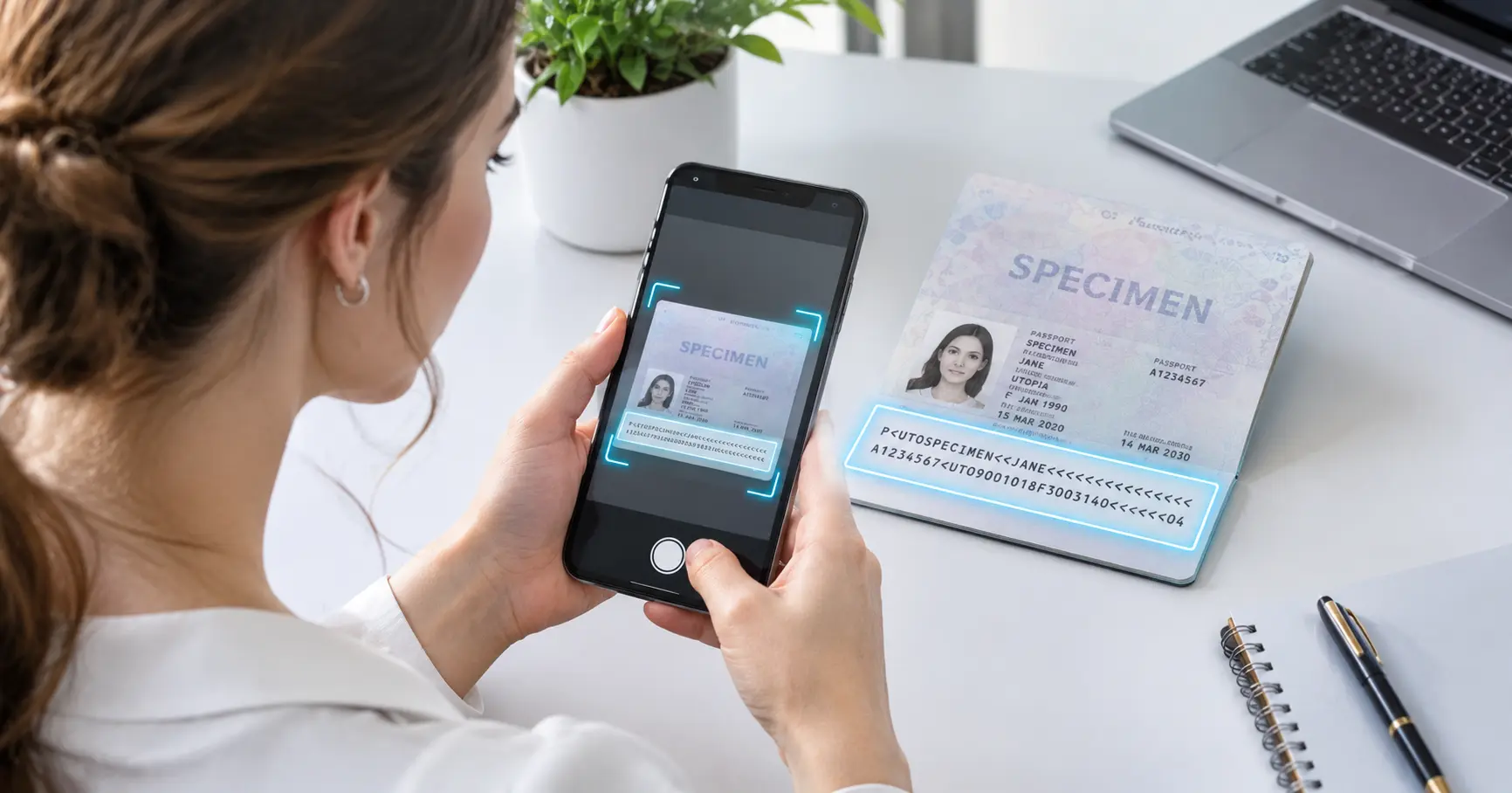
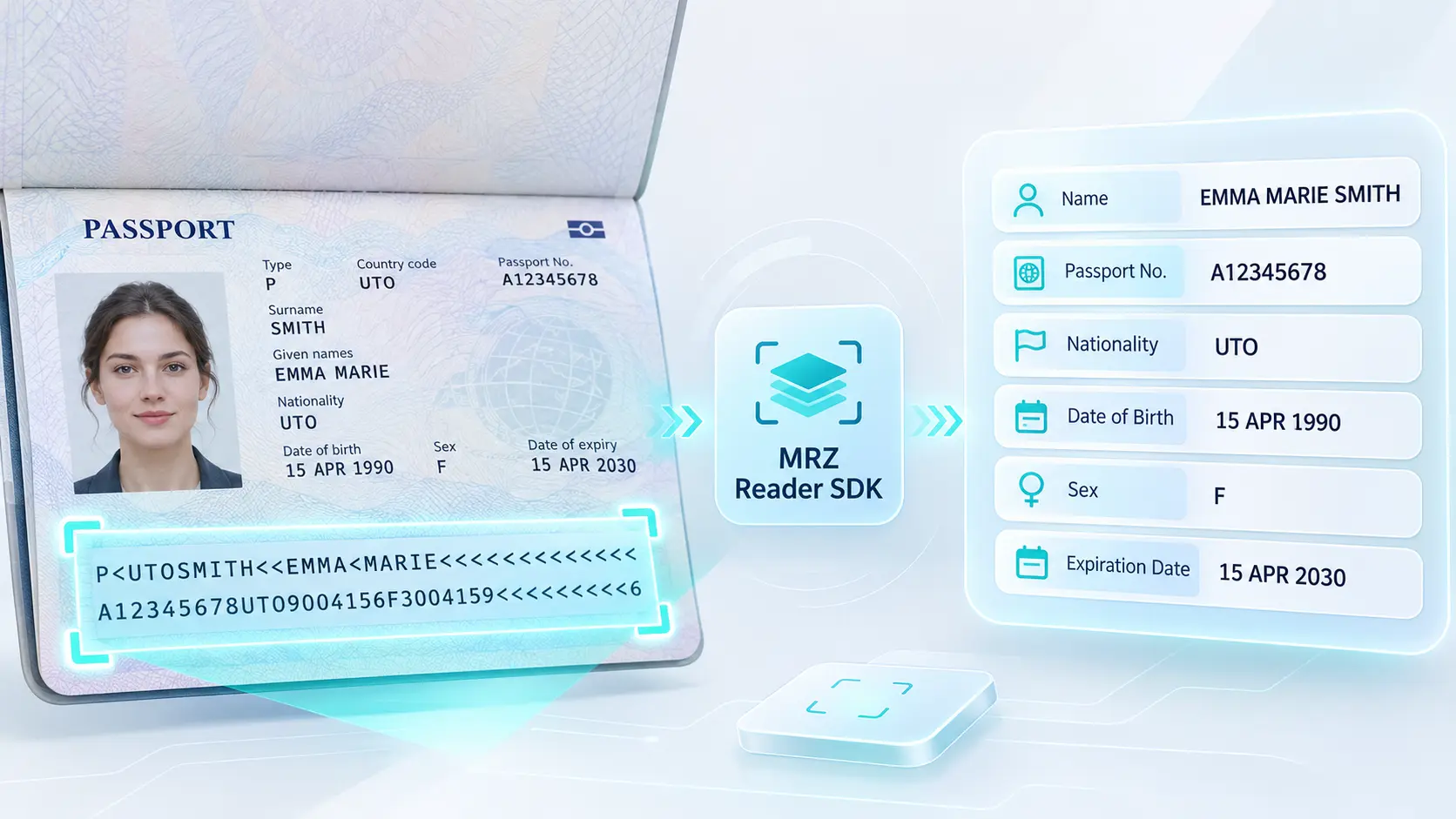
An MRZ reader SDK helps businesses and developers automatically read passport information from machine-readable zones. Instead of manually entering names, passport numbers, nationalities, and expiration dates, applications can extract this information using optical character recognition (OCR) and computer vision.
Passport data extraction is an important part of modern digital identity verification. Banks, fintech platforms, travel companies, and government organizations can use this technology to simplify document processing and reduce human errors.
However, reading passport information accurately requires more than basic text recognition. Applications must also understand document formats, validate extracted information, and protect sensitive personal data.
This guide explains how MRZ recognition works, its main benefits, practical applications, technical limitations, and how developers can integrate it into identity verification systems.
Table of Contents
-
What Is an MRZ Reader SDK?
-
Understanding Passport Machine-Readable Zones
-
5 Essential Steps for Passport Data Extraction
-
Benefits and Real-World Applications
-
Integration, Security, and Technical Challenges
-
Frequently Asked Questions
-
Conclusion
1. What Is an MRZ Reader SDK?
An MRZ reader SDK is a software development kit that enables applications to recognize, extract, and interpret information from the machine-readable sections of identity documents.
These documents may include passports, national identity cards, visas, and certain travel documents.
The technology combines optical character recognition, document detection, image preprocessing, and structured data parsing.
Unlike general OCR software, an MRZ recognition system understands standardized document structures. This allows developers to transform captured text into organized information that applications can process automatically.
MRZ Recognition vs. Traditional OCR
Although both technologies extract text from images, they serve different purposes.
| Feature | MRZ Recognition | Traditional OCR |
|---|---|---|
| Primary purpose | Machine-readable document extraction | General text extraction |
| Data structure | Standardized fields | Variable text formats |
| Validation | Supports MRZ check-digit validation | Requires additional logic |
| Common documents | Passports, visas, ID cards | Invoices, books, forms |
| Output | Parsed identity information | Recognized text |
| Main application | Identity and travel document processing | General document digitization |
Businesses can also combine MRZ recognition with broader ID document recognition technology to extract information outside the machine-readable zone.
2. Understanding Passport Machine-Readable Zones
A machine-readable zone, commonly called an MRZ, is a standardized section printed on an identity or travel document.
On a typical passport, it appears at the bottom of the personal information page. It contains uppercase letters, numbers, and special filler characters.
The International Civil Aviation Organization (ICAO) defines these document specifications through its Doc 9303 machine-readable travel document standard.
Common MRZ Formats
Different identity documents use different MRZ layouts.
| Format | Structure | Common application |
|---|---|---|
| TD1 | 3 lines × 30 characters | National identity cards |
| TD2 | 2 lines × 36 characters | Certain identity and travel documents |
| TD3 | 2 lines × 44 characters | Machine-readable passports |
| MRV-A | 2 lines × 44 characters | Machine-readable visas |
| MRV-B | 2 lines × 36 characters | Smaller machine-readable visas |
A reliable MRZ reader SDK should identify supported document formats before extracting individual data fields.
What Information Can Be Extracted?
A standard passport MRZ can contain information such as:
-
Document type and issuing country
-
Passport number
-
Surname and given names
-
Nationality
-
Date of birth
-
Sex marker
-
Document expiration date
-
Optional personal information
-
Check digits
Some information printed elsewhere on a passport may not appear in its MRZ. Examples include the holder’s place of birth, signature, and document issuance date.
Applications that require these details may need additional passport OCR functionality.
3. 5 Essential Steps for Passport Data Extraction
An MRZ reader SDK typically follows several image-processing and data-validation stages to transform a passport photograph into structured information.
Step 1: Capture the Passport Image
The process starts when a user captures the passport information page using a smartphone camera, webcam, or dedicated document reader.
Image quality directly affects recognition performance.
The application should encourage users to capture the complete document under suitable lighting conditions. It should also detect common problems such as motion blur, reflections, and incomplete document edges.
Providing real-time capture guidance can reduce unnecessary scanning attempts.
Step 2: Detect the Document and MRZ Region
Computer vision algorithms locate the passport within the captured image.
The recognition system can then identify the machine-readable area and separate it from the surrounding document content.
Image preprocessing may include perspective correction, rotation adjustment, contrast enhancement, and image cropping.
These techniques help prepare the MRZ region for text recognition.
Step 3: Recognize Machine-Readable Characters
Optical character recognition converts the visible characters into digital text.
MRZ recognition models are designed to process a restricted character set. However, similar-looking characters can still cause recognition errors, particularly when images are blurry or poorly illuminated.
For example, the letter O and the number 0 may appear similar in low-quality photographs.
Document-specific recognition and validation can help identify these inconsistencies.
Step 4: Parse and Validate Extracted Information
Once the characters have been recognized, the software separates them into individual passport information fields.
The application can also evaluate document structure, expected character positions, date formats, and applicable check digits.
Check-digit validation helps detect certain reading and transcription errors. However, a successful check-digit result does not establish that a passport is genuine.
Document authenticity requires additional security checks.
Step 5: Return Structured Passport Data
After extraction and validation, the application receives organized document information.
A business can use this information to populate onboarding forms, create customer profiles, or initiate additional identity verification procedures.
Developers should also define how applications respond when recognition fails or important information cannot be extracted confidently.
4. Benefits and Real-World Applications
Integrating an MRZ reader SDK can improve document-processing workflows across industries that regularly handle passports and travel documents.
Reduce Manual Data Entry
Manually entering passport information can introduce spelling mistakes, incorrect numbers, and formatting errors.
Automatic MRZ extraction reduces repetitive typing and allows users to review prefilled information before submission.
Improve Customer Onboarding
Online identity verification often requires customers to provide personal information and identity documents.
MRZ scanning can simplify this process by automatically filling relevant application fields.
This can improve the onboarding experience without removing necessary verification steps.
Support KYC Verification
Financial institutions and fintech platforms can use passport data extraction as part of Know Your Customer (KYC) workflows.
The extracted information can support subsequent identity checks, document verification, and customer record creation.
However, MRZ recognition alone is not sufficient to complete a comprehensive KYC process.
Real-World Applications
| Industry | Application |
|---|---|
| Banking | Digital account opening |
| Fintech | Remote customer onboarding |
| Travel | Passenger information extraction |
| Hospitality | Guest passport registration |
| Insurance | Customer identity data collection |
| Government | Authorized travel document processing |
| Enterprise | Employee identity onboarding |
Who Should Use MRZ Recognition?
An MRZ reader SDK is particularly useful for mobile application developers, identity verification providers, travel platforms, financial institutions, and businesses that regularly process international identity documents.
It can also help organizations replace repetitive manual document-processing tasks with structured digital workflows.

5. Integration, Security, and Technical Challenges
Developers should consider more than recognition accuracy when choosing and integrating an MRZ reader SDK.
Document coverage, privacy protection, error handling, and compatibility with existing systems are equally important.
Integrating MRZ Recognition into Applications
A typical integration begins with selecting an SDK that supports the required document formats and target operating systems.
Developers then connect document capture functionality to the recognition engine and configure how the extracted fields are returned to the application.
MiniAiLive’s ID Document Recognition SDK documentation describes document preprocessing and the extraction of information such as names, dates of birth, identification numbers, and machine-readable zones.
Developers can also explore the Android ID Scanner SDK integration guide for mobile document recognition.
Common Technical Challenges
| Challenge | Potential solution |
|---|---|
| Poor lighting | Provide capture guidance |
| Blurry images | Request a new capture |
| Reflective passport surfaces | Adjust camera angle and lighting |
| Incorrect character recognition | Apply format and check-digit validation |
| Damaged documents | Provide manual review options |
| Unsupported formats | Detect document type before extraction |
| Ambiguous dates | Apply contextual date validation |
Applications should not silently accept uncertain results. A clear error-handling process helps prevent incorrect information from entering customer databases.
MRZ Recognition and Document Authentication
A machine-readable zone can contain structurally valid information even when the surrounding document is counterfeit or altered.
Therefore, organizations should distinguish between extracting passport information and authenticating the passport itself.
Additional verification technologies may include document liveness detection, visual security feature inspection, electronic passport chip verification, face matching, and face liveness detection.
MiniAiLive provides ID document liveness detection technology that can complement broader document verification workflows.
Protecting Sensitive Passport Information
Passport information contains sensitive personally identifiable information.
Businesses should minimize unnecessary data collection, restrict access to passport records, encrypt sensitive information, and implement appropriate retention policies.
Developers should also avoid placing raw passport information in application logs or analytics systems.
The NIST Digital Identity Guidelines provide a useful reference for developing identity proofing and authentication processes with appropriate security and privacy controls.
Key Takeaways for Developers
Reliable passport data extraction requires high-quality image capture, document format recognition, structured parsing, and appropriate validation.
Organizations should evaluate SDK performance using representative test documents and realistic capture conditions rather than relying exclusively on ideal demonstration images.
MRZ recognition should form one part of a broader identity verification architecture.
6. Frequently Asked Questions
What is an MRZ reader SDK?
It is a software development kit that automatically reads and extracts structured information from the machine-readable zones of supported identity and travel documents.
Can an MRZ reader extract all passport information?
No. It extracts information encoded within the MRZ. Other details, such as place of birth or issuance date, may require additional OCR capabilities.
Can MRZ recognition detect fake passports?
Not independently. MRZ validation can detect certain structural errors and inconsistencies, but document authenticity requires additional verification methods.
Can MRZ recognition work offline?
Yes, if the selected SDK supports on-device processing. Offline recognition can reduce reliance on network connectivity, but developers must verify platform-specific capabilities.
What is the difference between MRZ and NFC passport reading?
MRZ recognition extracts printed text using a camera or document reader. NFC passport reading accesses information stored in an electronic passport chip using compatible hardware and appropriate access procedures.
Both technologies can complement each other in identity verification workflows.
7. Conclusion
An MRZ reader SDK provides a practical way to automate passport data extraction and simplify document-processing workflows.
By combining document detection, optical character recognition, structured parsing, and data validation, businesses can reduce manual entry and improve the consistency of captured identity information.
Nevertheless, MRZ recognition should not replace document authentication or comprehensive identity verification. Organizations must also consider image quality, personal data protection, and appropriate fraud prevention measures.
Explore MiniAiLive’s ID document recognition solutions to learn how AI-powered passport recognition and document data extraction can support your next identity verification application.