

Introduction
ID scanner SDK integration is now a practical requirement for many mobile apps that handle onboarding, account recovery, access control, or KYC verification. Instead of asking users to type document details by hand, an app can capture an ID card, passport, or driver’s license and extract important data in seconds.
This matters because manual entry creates friction, slows onboarding, and increases the chance of errors. A well-integrated SDK can improve speed, accuracy, and user experience while supporting stronger identity verification workflows. In this guide, you will learn what an ID scanner SDK does, how to integrate it into a mobile application, what security issues to consider, and how MiniAi.live solutions can fit into a broader identity verification process.
What Is an ID Scanner SDK?
An ID scanner SDK is a software development kit that helps developers add document capture and reading features to an app. In most cases, it supports document image capture, edge detection, image quality checks, OCR, field extraction, and document classification.
For a mobile application, this means the app can guide the user to scan an identity document using the device camera and then process the image to extract useful information such as:
- Full name
- Date of birth
- Document number
- Expiry date
- Address
- MRZ data from passports and other travel documents
- Barcode or PDF417 data from certain IDs and licenses
An ID scanner SDK is often used in banking, fintech, online marketplaces, HR platforms, travel apps, telecom onboarding, and any workflow that depends on identity verification.
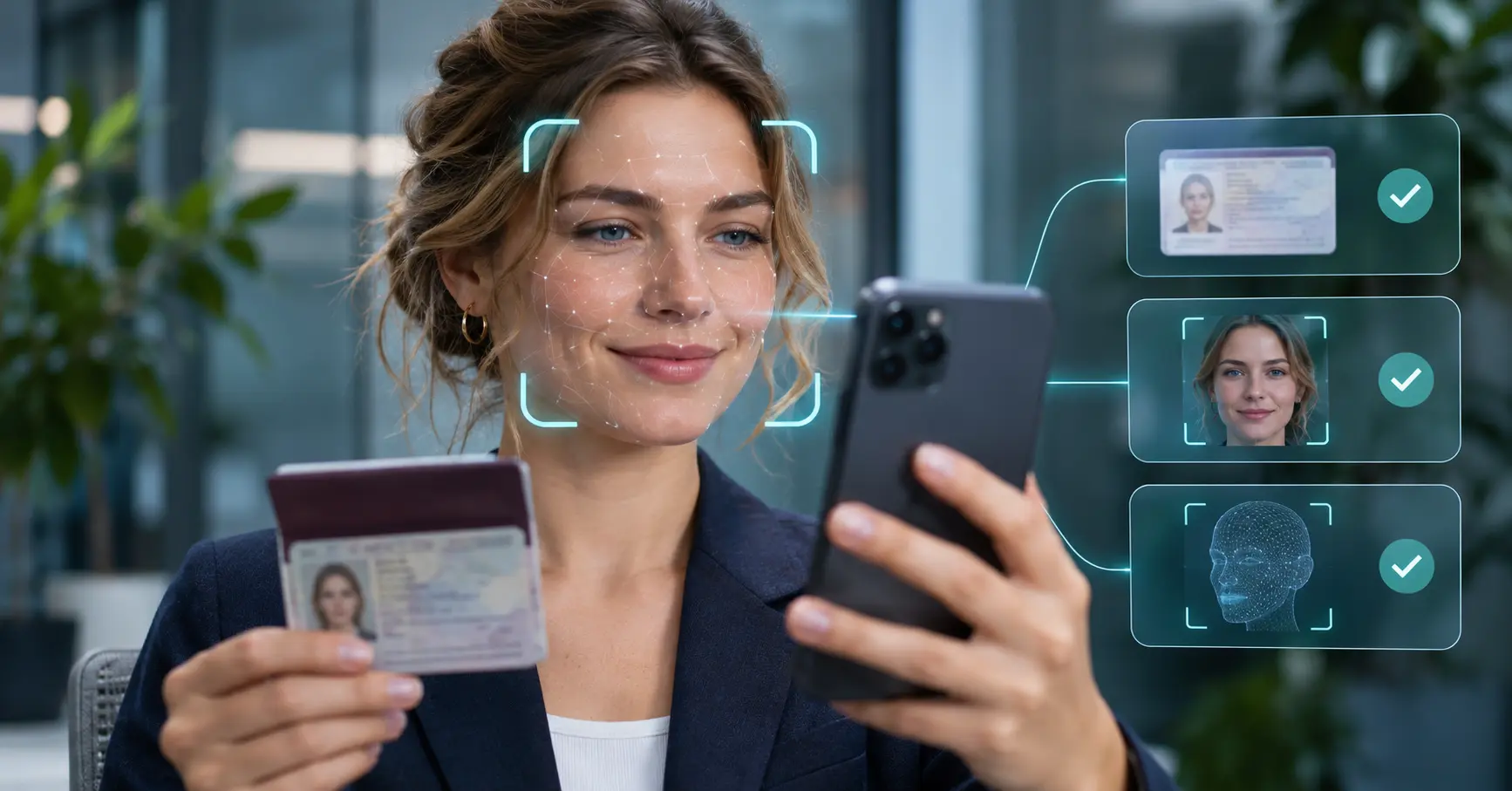
It is also important to understand that document scanning alone is not always enough. In many real-world systems, the ID scanning step is combined with document verification, face matching, face liveness detection, or document liveness checks to help reduce fraud.
How an ID Scanner SDK Works in a Mobile App
At a high level, an ID scanner SDK follows a simple workflow. The app captures an image, the SDK analyzes it, and the extracted data is returned to the app or backend.
Typical workflow
| Step | What happens | Why it matters |
|---|---|---|
| Capture | The user scans the front or back of an ID document | Good capture quality improves downstream accuracy |
| Detection | The SDK detects document boundaries and orientation | Helps crop and normalize the image |
| Enhancement | The image may be corrected for blur, glare, or perspective | Improves OCR and field extraction |
| Extraction | OCR and parsing read text, MRZ, or barcode data | Converts image content into structured fields |
| Validation | The app checks completeness and consistency | Reduces input errors and failed onboarding |
| Decision | Results are shown or passed to the next verification step | Supports a smooth user flow |
MiniAi.live’s ID Document Recognition solution describes document capture, extraction, verification, and results as the core process, and it lists support for mobile and server environments as well as OCR, MRZ parsing, barcode scanning, and document type recognition on its product page【turn320948view0†L92-L123】【turn320948view0†L140-L167】.
On-device vs server-based processing
A mobile app may use:
- On-device processing, where scanning happens locally on the phone
- Server-side processing, where images are sent to a backend or API
- Hybrid processing, where some checks run locally and others run on the server
The right approach depends on privacy needs, speed, network conditions, and your architecture. Some teams prefer on-device processing for lower latency and reduced data transfer. Others prefer server-side workflows for centralized management and easier model updates.
7 Steps to Integrate an ID Scanner SDK into Your Mobile Application
1. Define your use case clearly
Start by deciding why you need the SDK. Different use cases need different levels of complexity.
Examples include:
- User onboarding for a fintech app
- KYC verification for a wallet or exchange
- Hotel or travel check-in
- Employee identity checks
- Age verification
- Document autofill for registration forms
This decision affects your technical choices. A simple autofill flow may only need OCR. A regulated onboarding flow may also need liveness, fraud checks, and backend review.
2. Choose platform and integration method
Next, confirm which platforms you support:
- Android
- iOS
- Flutter or another cross-platform framework
- Native mobile plus server API
MiniAi.live states that its ID Document Recognition solution supports multiple systems including Android, iOS, Flutter, Linux, Windows, Docker, and server environments【turn320948view0†L59-L90】. If your app is cross-platform, SDK availability for Flutter or other frameworks can save development time.
You should also review the available APIs. MiniAi.live lists Python, C++, C#, HTTP, Java, Kotlin, Objective-C, Swift, and Flutter support on its documentation page for the product【turn320948view0†L77-L90】.
3. Design the capture experience
The capture step has a major effect on results. If the image is blurry, dark, or cropped badly, OCR quality drops.
A good capture flow should:
- Show a clear frame or guide for document placement
- Detect edges automatically
- Warn the user about blur or glare
- Ask for front and back images when needed
- Confirm that the document is fully visible
- Keep instructions short and easy to follow
This is especially important in mobile environments where lighting, camera quality, and hand movement vary.
4. Map extracted fields to your application
Once the SDK returns data, you need to decide how your app will use it. Typical fields may include name, date of birth, document number, and expiry date.
Think about:
- Which extracted fields go into registration forms
- Which fields must be reviewed by the user
- What happens when a field is missing or uncertain
- How data is stored in your app or backend
- Whether images are stored, deleted, or encrypted
Do not assume every document from every country will have the same structure. Your app should be flexible when fields differ.
5. Add validation and fraud controls
An ID scanner SDK improves automation, but scanning alone does not prove that a document is genuine or that the person presenting it is the real owner.
That is why many mobile apps combine scanning with:
- Document verification
- Face recognition or face matching
- Face liveness detection
- ID document liveness detection
- Backend business rules
For example, after reading the ID, the app may compare the portrait on the document to a selfie, then run liveness detection to confirm the selfie came from a live person.

6. Secure the mobile data flow
Identity data is sensitive. During integration, pay close attention to the entire data path:
- Camera capture
- Temporary file storage
- Device memory
- App logs
- Network transmission
- Backend storage
- Admin dashboard access
The OWASP Mobile Application Security Cheat Sheet is a useful reference for secure mobile development. For identity-related workflows, the NIST Digital Identity Guidelines also provide helpful guidance for identity proofing and verification practices.
Basic controls often include:
- Encryption in transit and at rest
- Secure session handling
- Limited data retention
- Role-based access control
- Redaction of sensitive logs
- Clear user consent and privacy notices
7. Test with real document scenarios
Before release, test the integration with many realistic cases:
- Front-only and front-back documents
- Different lighting conditions
- Older and newer phone cameras
- Various document types
- Documents from different countries
- Slightly tilted or partially shadowed images
- Failure cases such as blur, cut-off edges, or glare
The goal is not only technical success. It is also a smooth user experience. A fast but confusing flow can still hurt conversion.
Key Features to Evaluate Before Integration
Not all SDKs are equal. When reviewing an ID scanner SDK for mobile use, look at the full integration picture, not just OCR performance.
Important evaluation points
Capture and image quality
A strong SDK should help users take better images. Auto capture, edge detection, glare detection, and focus guidance can reduce failed scans.
OCR and field extraction
Check whether the SDK extracts structured fields or only raw text. Structured output is more useful for onboarding and automation.
Document coverage
Look at what document types are supported, such as passports, national IDs, and driver’s licenses. Coverage by country also matters.
Platform support
Make sure the SDK fits your stack. Native Android and iOS support is helpful, but many teams also want Flutter or API options.
Fraud resistance
If you need secure onboarding, ask whether the solution can be paired with document verification, document liveness, or face liveness tools.
Offline or on-device capability
Some industries prefer offline processing or local execution. MiniAi.live highlights fully offline and on-device operation as a broader SDK benefit on its site【turn254473view0†L308-L317】.
Security, Privacy, and Implementation Challenges
Integrating an ID scanner SDK is valuable, but there are still challenges to manage.
Common challenges
Variable image quality
Real users do not always scan documents in perfect conditions. You need fallback logic and friendly retry prompts.
Privacy and compliance
Identity documents contain personal data. Your storage, retention, and access policies must match the legal and business context of your application.
False confidence
OCR success does not equal identity trust. A scanned document can still be fake, manipulated, or stolen. This is why layered checks matter.
Integration complexity
Mobile apps often need SDK setup, camera permissions, UI customization, error handling, backend mapping, and QA work across many devices.
International variation
Document layouts differ by country and type. Parsing logic must handle those differences carefully.
Best practice: build a layered flow
A stronger workflow often looks like this:
- Capture the document
- Extract the data
- Validate required fields
- Check document authenticity signals
- Compare document portrait to a selfie if needed
- Run liveness detection for stronger assurance
- Send the result to your review or decision engine
This layered approach supports better identity security and better fraud prevention than document scanning alone.
How MiniAi.live Can Support Your Integration
MiniAi.live offers an ID Document Recognition solution that includes OCR-based extraction, MRZ parsing, barcode scanning, document image extraction, and portrait extraction, with support across mobile and server environments【turn320948view0†L140-L177】. According to its official site, the product is available for Android, iOS, Flutter, and server-side deployments【turn320948view0†L59-L90】.
If your use case needs broader verification, the article can naturally connect readers to MiniAi.live’s wider stack:
- ID Document Recognition: https://miniai.live/document-verification/
- ID Document Liveness Detection: https://miniai.live/document-liveness-detection/
- MiniAi.live documentation: https://docs.miniai.live/
- Online demo: https://demo.miniai.live/
For example, you could mention that a mobile app may start with document capture and OCR using the ID Document Recognition solution and then add ID Document Liveness Detection when fraud resistance becomes more important.
MiniAi.live’s documentation hub is also available at docs.miniai.live, which lists its demo, GitHub, and documentation resources【turn320948view1†L0-L7】.
FAQ: ID Scanner SDK Integration
What is an ID scanner SDK used for?
An ID scanner SDK helps a mobile app capture identity documents and extract structured data such as name, document number, and expiry date. It is commonly used in onboarding, KYC, and digital identity workflows.
Can an ID scanner SDK work offline?
Some SDKs support offline or on-device processing. This depends on the vendor and the deployment model. You should confirm whether local processing is available for your target platform and use case.
Is OCR enough for identity verification?
No. OCR helps read document data, but it does not fully prove authenticity or ownership. Higher-assurance flows often add document verification, face matching, and liveness detection.
How long does it take to integrate an ID scanner SDK?
The timeline depends on your mobile stack, UI needs, backend requirements, and testing scope. A simple proof of concept can be fast, while a production KYC flow usually takes more planning and QA.
What should I test before launch?
Test document capture quality, extraction accuracy, device compatibility, retry flows, data mapping, network behavior, and security controls. Also test real-world failure scenarios such as glare, blur, and partial crops.
Conclusion
An ID scanner SDK can make mobile onboarding faster, simpler, and more accurate. It helps reduce manual entry and supports smoother user flows. Still, the best results come from careful integration, strong capture design, proper security controls, and layered verification.
If you are building a mobile identity workflow, start by defining your use case and testing the capture experience early. Then evaluate whether you also need document verification, liveness detection, or other identity security tools. To explore implementation options, you can review the MiniAi.live ID Document Recognition solution, browse the documentation, or test the online demo.