
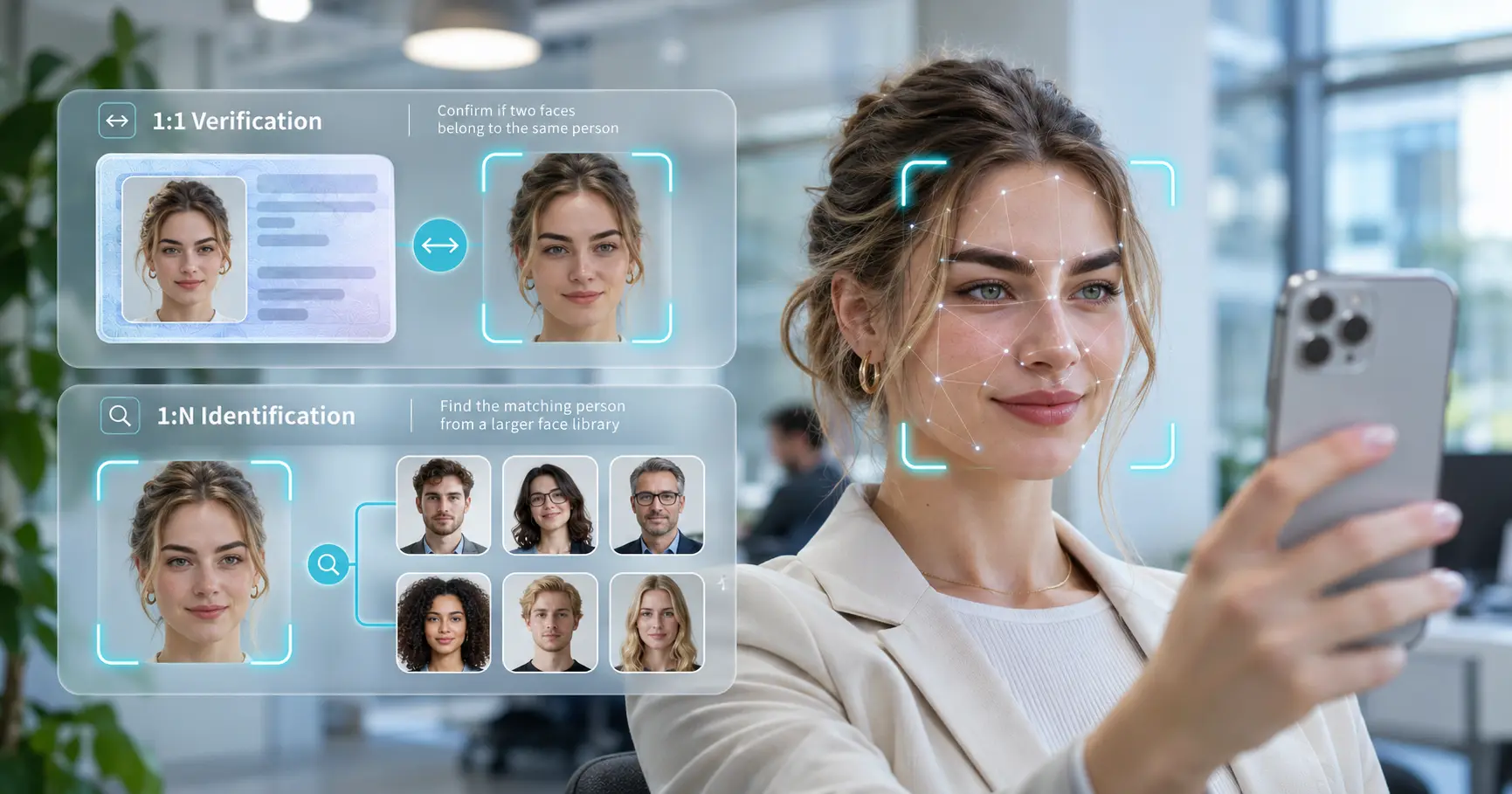
A face matching API helps an application compare facial images to support identity verification or identification. But a system that checks a selfie against one known photo is solving a different problem from a system that searches thousands of enrolled faces. The first task is called 1:1 verification. The second is 1:N identification.
Both methods use computer vision and biometric face recognition, but they differ in their questions, outputs, performance measures, and privacy risks. Choosing the wrong mode can create unnecessary searches, frustrating false matches, or weak identity decisions.
This guide explains how the technology works, the seven main differences, practical uses, and the safeguards developers should plan before integrating a facial recognition SDK.
What Is a Face Matching API and How Does It Work?
A face matching API is an interface that lets software send facial data to a recognition service or SDK and receive a comparison result. Developers can use it in mobile apps, websites, kiosks, or internal systems. The technology is a component of a wider identity workflow, not a complete proof of someone’s legal identity.
The typical matching workflow
-
Capture: A camera or an approved image source provides a facial image.
-
Detect and align: Computer vision locates the face and adjusts the crop or orientation to support consistent comparison.
-
Check quality: The system may flag blur, poor lighting, unusual pose, or an obstructed face.
-
Extract a template: A machine-learning model converts facial features into a numerical representation often called a face embedding or biometric template.
-
Compare or search: The application compares the template with one selected reference or searches an enrolled gallery.
-
Interpret the result: The application applies a tested threshold and business rules to accept, reject, request a retry, or refer the case to a person.
The API may return a similarity score, a match decision, candidate identities, or a combination of these. The exact fields depend on the product and deployment. A high score means the model found strong similarity under its rules; it does not by itself establish that the user presented a genuine live face or a valid identity document.
What Is 1:1 Face Verification?
One-to-one (1:1) verification asks: “Does this face match the person the user claims to be?” The application already knows which reference record to compare.
Imagine a customer opening a financial account. The customer submits an identity document and takes a selfie. After the document image is captured and checked, the application compares the selfie with the document portrait. This is 1:1 matching: one live capture is checked against one selected reference.
A similar workflow can help verify an enrolled employee during account recovery. The employee enters an account identifier first, allowing the application to select that employee’s authorized reference.
What does a 1:1 result mean?
The face matching engine calculates similarity between the two images. A threshold determines whether the comparison qualifies as a match. That decision is subject to errors:
-
False match: Two different people are incorrectly treated as matching.
-
False non-match: Two images of the same person are incorrectly treated as different.
Organizations should evaluate the trade-off between these errors using representative images and a threshold appropriate for the task. The NIST NIST 1:1 Face Recognition Technology Evaluation reports false match and false non-match measures across tested algorithms and datasets.
Verification is usually preferable when a claimed identity and trusted reference image are already available. It avoids the need to search unrelated individuals’ records.
What Is 1:N Face Identification?
One-to-many (1:N) identification asks: “Does this face correspond to anyone in the enrolled database, and if so, who?” The application does not begin with a single claimed identity.
For example, an organization may operate an opt-in employee entry system. A registered employee looks into a camera, and the system searches the enrolled employee gallery for a possible match. Unlike 1:1 verification, the search must consider several identities.
A 1:N system can return the best candidate, a ranked shortlist, or no match at all. A candidate should not automatically be treated as a confirmed identity. The database may not contain the person, or two people may look sufficiently similar to cause an error.
Gallery size changes the problem
Searching more enrolled identities creates more opportunities for an unrelated person to appear similar. Search design and threshold selection therefore matter. Indexing and other optimizations can help with large galleries, but latency depends on the algorithm, hardware, gallery size, and deployment.
NIST evaluates 1:N face identification separately from verification. It uses search-specific measures, including false positive identification rate (FPIR) and false negative identification rate (FNIR), rather than treating every search as an ordinary two-image comparison.
1:1 vs 1:N: Seven Critical Differences
The distinction is not simply how many images the system processes. The two methods answer different questions and require different operating controls.
| Consideration | 1:1 verification | 1:N identification |
|---|---|---|
| 1. Main question | Is this the claimed person? | Who, if anyone, is this person? |
| 2. Reference set | One selected record | A gallery of enrolled records |
| 3. Required input | Face and claimed identity/reference | Face and searchable gallery |
| 4. Typical output | Similarity score or match decision | Candidate list, rank, or no match |
| 5. Error measures | False match / false non-match | False positive / false negative identification |
| 6. Performance factors | Image quality and pairwise comparison | Image quality, gallery size, indexing, and search |
| 7. Privacy scope | Usually a targeted comparison | Searches multiple people’s biometric records |
A face matching API may support both modes, but developers should not treat them as interchangeable. For example, adding more faces to a 1:1 comparison loop does not automatically create a properly calibrated 1:N identification system.
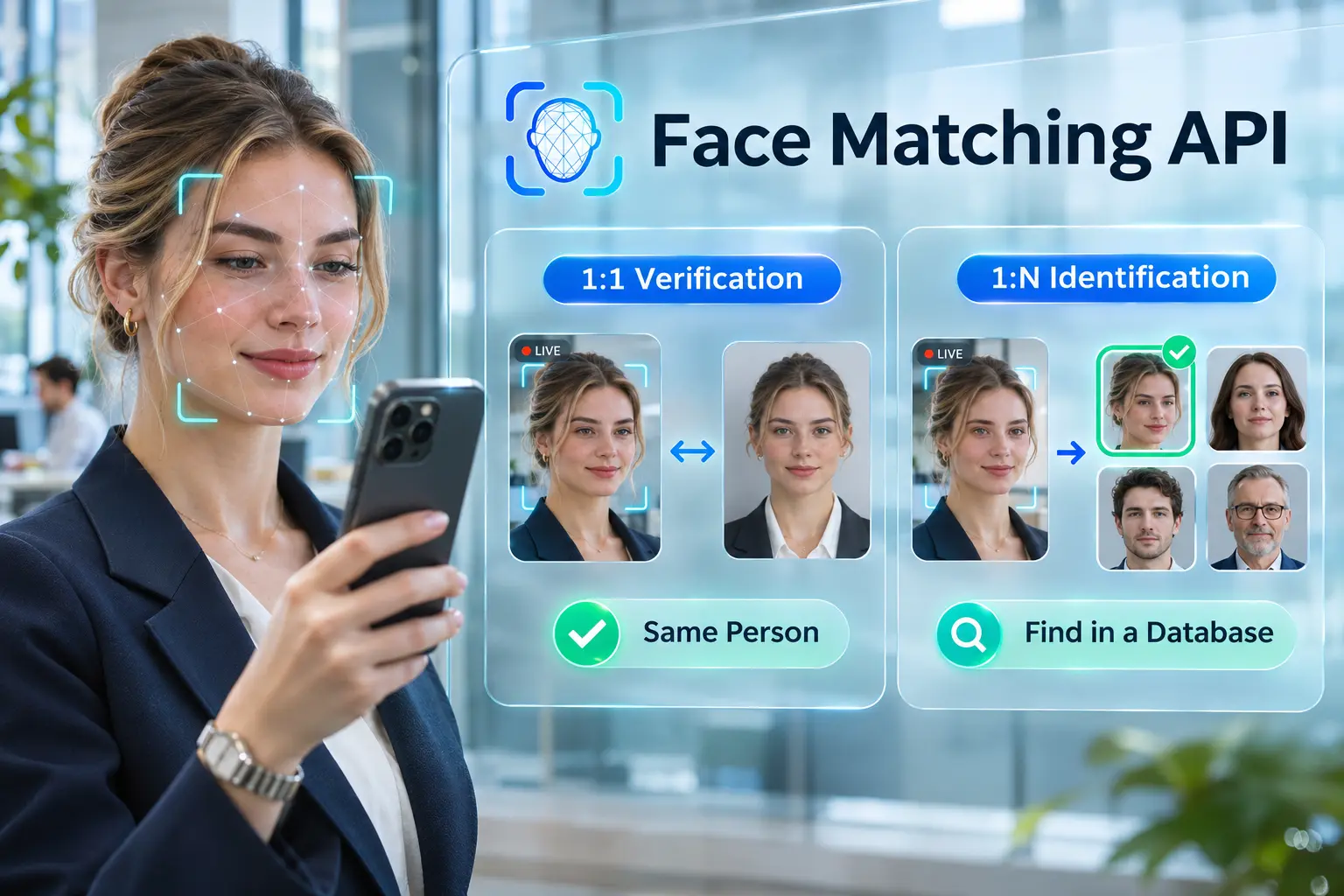
The right choice depends on the user’s action. If a person presents an account number or identity document, verify against that specific record. If the application truly needs to find an enrolled identity without a claim, identification may be justified, subject to consent, applicable rules, and careful handling of false positives.
Real-World Uses, Security, and MiniAiLive Integration
Practical uses for each mode
1:1 verification is suited to selfie-to-ID checks in KYC onboarding, re-verification of a claimed account holder, and some customer-service recovery workflows. The organization should separately check document authenticity, user consent, and any additional authentication factors it needs.
1:N identification can support searches of a consent-based employee gallery, controlled visitor registration, or duplicate-enrollment review. A possible duplicate is a lead for review, not proof of fraud. Large galleries and uses affecting people’s rights call for stronger oversight.
Security and accuracy controls that matter
A matching model does not check whether the face came from a real person physically present at the camera. A printed photo, replayed video, convincing mask, or injected image could undermine a system that trusts matching alone. Presentation attack detection (PAD), often called liveness detection, addresses part of that risk. Device integrity and capture-path protection address additional threats.
NIST’s Digital Identity Guidelines for authentication discuss biometric privacy, presentation attacks, and the need to secure biometric information. Requirements depend on the system’s assurance level and whether it is implementing the NIST framework; they should not be generalized as a universal law.
When evaluating a face matching API, teams should:
-
Test false matches and false non-matches at documented thresholds, using realistic camera conditions.
-
Assess performance across relevant ages, skin tones, lighting, occlusions, and supported devices.
-
Use liveness checks and protect the route between camera capture and processing.
-
Minimize biometric collection, control access, encrypt data in transit and at rest, and define deletion rules.
-
Obtain appropriate permissions or consent and provide a practical alternative when matching fails.
-
Require human review before serious decisions based on uncertain 1:N results.
Integrating with MiniAiLive
MiniAiLive’s Face Recognition solution and Face Recognition SDK documentation describe face detection, 1:1 face comparison, and 1:N face identification. The documented Windows server SDK includes /api/face_match for face matching. Its complete inputs, outputs, licensing, and runtime requirements should be checked against the specific SDK version before development.
A sensible integration plan is to choose the required matching mode, decide where to capture and process images, enroll only authorized references, run quality checks, apply matching thresholds, and log decision outcomes without unnecessarily storing facial images.
For remote verification, consider adding a distinct presentation-attack check. MiniAiLive’s face anti-spoofing guide explains why liveness and identity matching answer different questions.
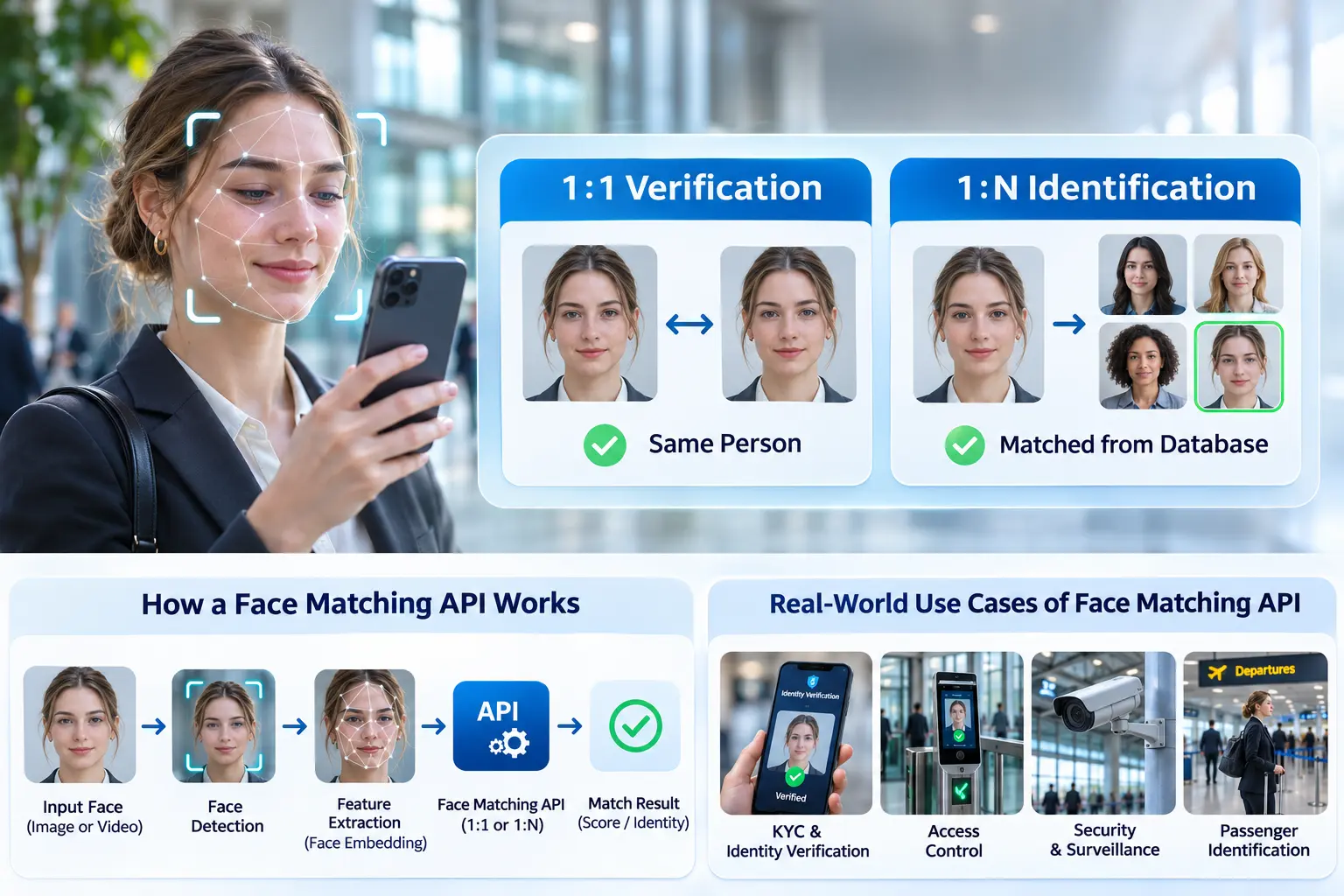
A face matching API should never be treated as a complete authentication decision by itself. Do not assume an API’s match score is a probability that someone is the claimed person. Document score meaning and thresholds for the model you deploy. Protect credentials, restrict access to biometric searches, and retest after changing the model, camera, enrollment process, or gallery.
Frequently Asked Questions
Is a face matching API the same as face recognition?
Face matching is one function within face recognition. Face recognition software may also detect faces, assess quality, create biometric templates, and identify a person from an enrolled gallery.
Is 1:1 verification more accurate than 1:N identification?
There is no universal answer. Accuracy depends on the algorithm, image quality, thresholds, and test conditions. The two modes use different evaluation measures and should be tested separately for the intended application.
Does a successful face match prove someone is physically present?
No. Face similarity and liveness are separate checks. A sensitive remote workflow should consider presentation attack detection and protection against injected or replayed inputs.
Can a 1:N search return no match?
Yes. An open-set identification system should be able to reject a probe face that does not adequately match any enrolled identity. Forcing a best match can produce false identifications.
Can developers integrate face matching into mobile or server applications?
Yes, depending on the chosen provider’s supported platforms. MiniAiLive documents mobile and server SDK options, but exact integration steps and feature availability must be checked for the relevant product version.
Conclusion: Choose Matching That Fits the Task
A face matching API can support secure, convenient identity workflows when it is used for the right question. Choose 1:1 verification when a user claims a specific identity. Consider 1:N identification only when a justified, authorized search across an enrolled gallery is necessary.
For either mode, matching scores need careful interpretation. Test error rates, protect biometric data, provide a fallback, and pair remote capture with appropriate anti-spoofing protections. Developers who want to evaluate implementation options can explore MiniAiLive’s Face Recognition SDK documentation and test the workflow against their own security requirements.