
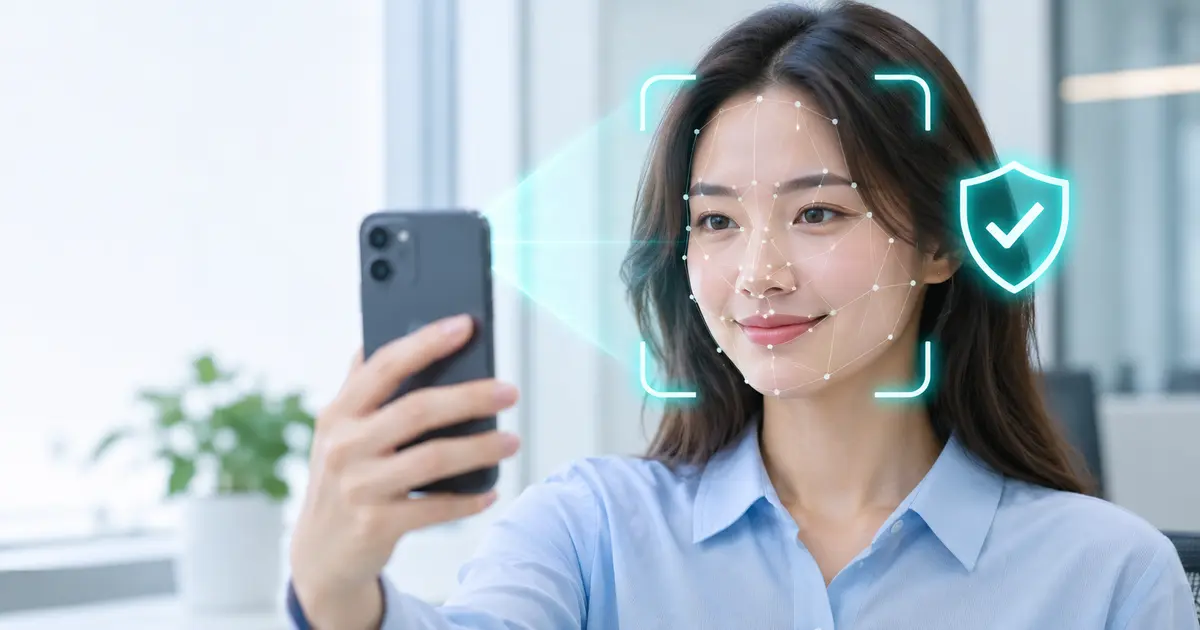
Face liveness detection checks whether a real person is physically present when a camera captures a face. This matters because face recognition can compare two images, but a convincing photograph or video is not proof that its owner is in front of the camera.
For banks, fintech apps, online services, and organizations handling sensitive accounts, that difference is important. A stolen selfie, replayed recording, or synthetic image may be used to imitate an authorized user. Liveness technology adds a safeguard by examining evidence of a genuine face presentation.
This guide explains how liveness checks work, how active and passive methods differ, what security benefits they offer, and how developers can evaluate and integrate them responsibly. It also covers limitations, privacy, and real-world deployment decisions.
What Is Face Liveness Detection?
Face liveness detection is a biometric security technique that assesses whether an image or video shows a person physically present during capture. In technical discussions, this is closely related to presentation attack detection (PAD), often called face anti-spoofing.
The system looks for clues that help distinguish a genuine face from an imitation. Depending on the design, those clues may include image texture, natural movement, depth-related information, reflections, or other patterns learned by computer vision models. Not every implementation uses the same sensors or techniques.
Liveness detection versus face recognition
The distinction is simple. Face recognition or face matching asks whether one face resembles an enrolled face or the portrait on an identity document. Liveness detection asks whether the face is being presented by a real person at that moment. A complete workflow may need both checks.
Consider a remote account-opening process. A customer submits a photo of a government ID and takes a live selfie. Document validation checks the ID, face matching compares the portraits, and liveness checking helps detect whether the selfie came from someone physically present. Passing one check does not mean the others are automatically satisfied.
What kinds of attacks does it address?
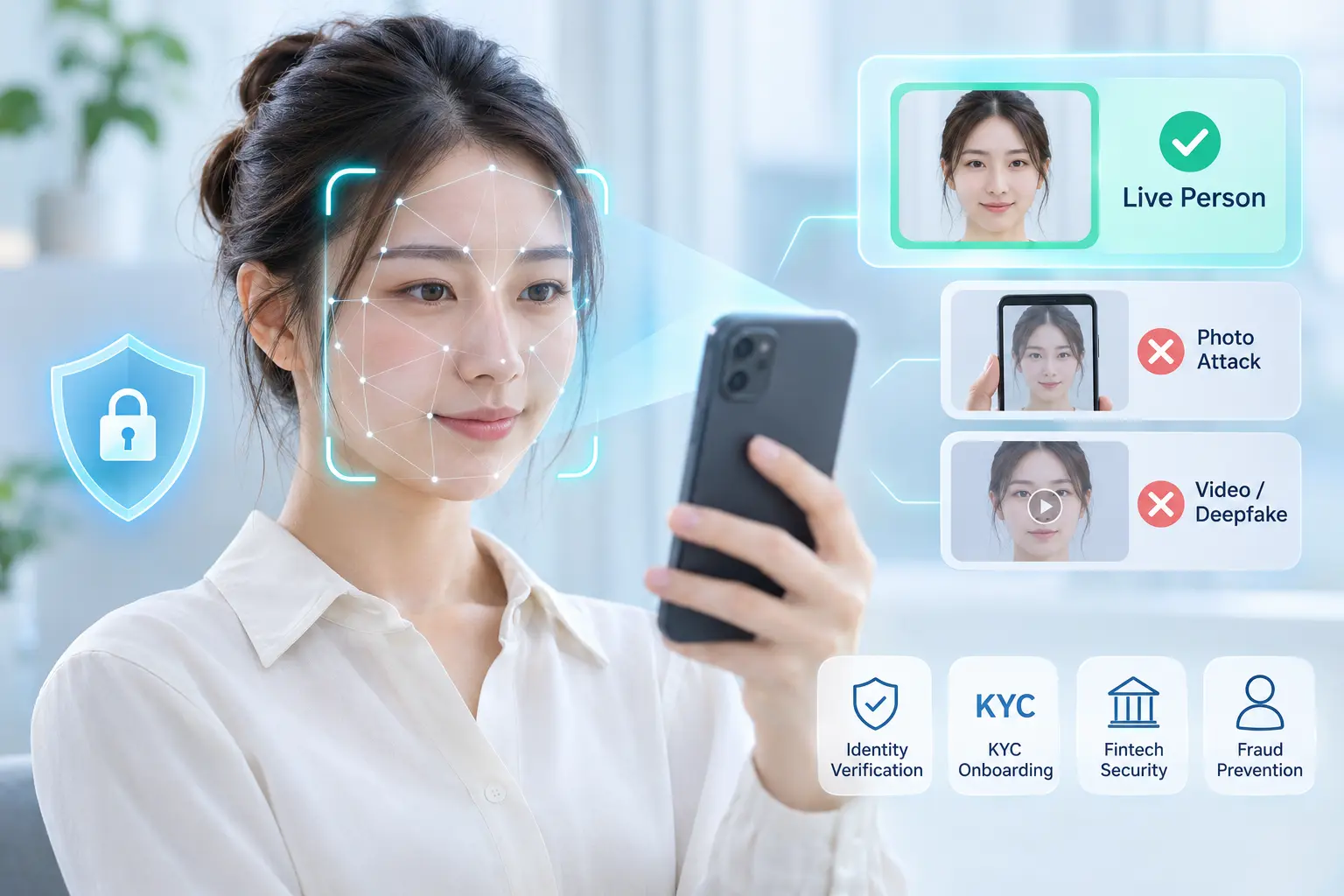
Common presentation attacks include printed photographs, faces displayed on another phone, prerecorded videos, and some physical masks. More advanced threats may involve synthetic faces or altered video. Their effectiveness depends on the detector, capture path, hardware, and attack method.
Importantly, a camera-based liveness check is not automatically a defense against digital injection. An attacker who substitutes a forged camera stream upstream of the detection engine may bypass controls designed only for physical objects held in front of a lens.
How Face Liveness Detection Works
Most solutions use artificial intelligence and computer vision to examine a live capture session. The exact model, input requirements, and confidence threshold depend on the product and operating environment.
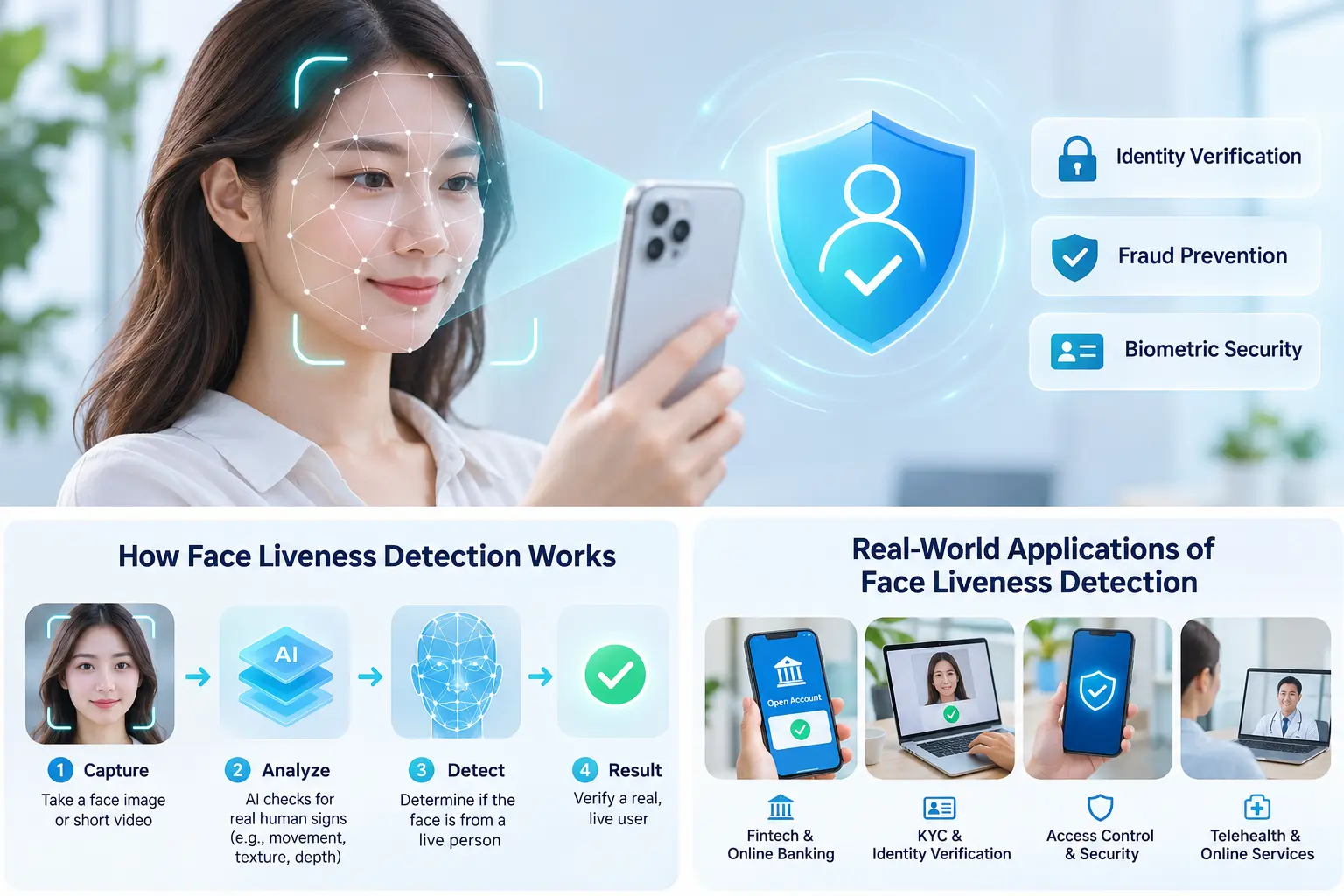
A typical liveness workflow
-
Start a protected capture session. The app requests camera access and establishes a session associated with the verification attempt.
-
Capture usable face data. The device collects an image or short video while guiding the user to improve framing and lighting.
-
Evaluate presentation clues. A liveness model examines the input for signs consistent with a genuine face or a spoof.
-
Interpret the result. The application evaluates the returned decision or score using a policy calibrated for its risk level.
-
Continue identity verification. If required, the app performs face matching, document checks, or additional authentication before granting access.
A secure design also considers the integrity of the camera input and the connection between the capture session and the server-side decision. A simple “live” score alone does not establish a person’s legal identity.
Active versus passive liveness detection
Passive liveness detection typically asks users to look at the camera without performing a special gesture. The model analyzes the captured face data in the background. This can make onboarding faster and more accessible, although performance depends on the model and capture conditions.
Active liveness detection asks the user to complete a challenge, such as turning their head. The system checks whether the response matches the requested action. It may provide another signal of live participation but introduces friction and can still face sophisticated attacks.
| Method | User experience | Potential advantage | Key consideration |
|---|---|---|---|
| Passive liveness | Look at the camera | Fewer steps during onboarding | Must withstand realistic spoofing without a user challenge |
| Active liveness | Perform a prompted action | Adds a challenge-response signal | Can create accessibility and usability issues |
| Liveness plus face matching | Capture a live face and compare identity | Checks both presentation and similarity | Requires careful thresholds and protected reference data |
No single method is always best. Teams should compare tested performance, user needs, environmental conditions, and likely attack types rather than assuming that active or passive checks are universally more secure.
5 Security Benefits of Liveness Detection
1. Makes basic face spoofing harder
A well-evaluated liveness check can help reject attempts made with printed selfies or face images displayed on screens. This raises the effort needed to impersonate someone during remote verification. It does not eliminate every attack, so it should remain one control in a broader security system.
2. Supports safer remote onboarding
Customers often want to open accounts without visiting a branch or office. Adding face liveness detection to document checks and face matching can help organizations review whether the applicant was present during capture. This is useful for risk-based identity verification and KYC workflows.
3. Protects sensitive account actions
Liveness can be used during higher-risk activities, such as recovering an account, changing sensitive account settings, or re-verifying an identity. Organizations should decide when it is needed instead of requiring a camera scan for every low-risk interaction.
4. Improves trust in biometric workflows
A face-match result is more meaningful when the system has also considered whether the face input came from a genuine presentation. This helps security teams avoid treating a facial similarity score as complete proof of identity or authorization.
5. Can reduce manual review for suitable cases
When integrated with clear decision thresholds and quality checks, automated verification may allow straightforward cases to proceed without human review. Uncertain results should still have a safe retry or escalation route. Actual savings depend on operational testing, not assumptions about the technology.
Practical Applications and MiniAiLive Integration
Financial services and KYC onboarding
A fintech service might ask a new customer to photograph an identity document, capture a selfie, pass liveness analysis, and then match the face against the document portrait. Fraud signals or uncertain results can trigger additional review. Liveness supports this process, but it does not independently verify the authenticity of the ID or satisfy every legal requirement.
Account recovery and digital access
A consumer platform can use biometric verification as one step when an account holder has lost access. For sensitive systems, it should be combined with secure account recovery, device trust, rate limits, and other appropriate controls. Facial appearance alone should not be treated as a secret password.
Healthcare and workplace systems
Remote patient identity checks or employee access workflows may benefit from confirming that a real user is present. These settings also require careful attention to consent, accessible alternatives, retention periods, and policies for people who cannot use camera-based verification.
How to evaluate a MiniAiLive SDK integration
MiniAiLive describes a Face Liveness Detection SDK supporting client-side face capture across mobile, web, and desktop contexts, with processing options on client or server. Its official product materials also describe passive liveness and Android/iOS integration. Availability and behavior should be confirmed for the specific SDK version and platform before deployment.
Explore MiniAiLive’s Face Liveness Detection product page, review the official Face Liveness Detection SDK documentation, and experiment with the online liveness demo. A public demo is useful for exploration, but it is not a substitute for production security testing.
For a practical pilot, take these steps:
-
Define the threats you need to stop, such as print attacks, screen replays, masks, or media injection.
-
Choose the supported platform and whether processing should run on-device or on a protected server.
-
Review camera permissions, session binding, transport security, and sensitive-data handling.
-
Integrate the capture interface, SDK result, and any required face matching or ID verification.
-
Test legitimate users and spoof attempts on representative devices and lighting conditions.
-
Design retry limits, manual review, accessibility alternatives, and ongoing monitoring.
Security, Accuracy, and Privacy Considerations
Presentation attacks are not the whole threat model
Deepfakes and camera-stream injection are different from showing a physical photograph to a device. The NIST Digital Identity Guidelines for identity proofing (SP 800-63A) discuss forged media and digital injection as important risks in remote identity proofing. Teams should protect the complete capture-to-decision pipeline, not only the face model.
Techniques may include trusted application flows, session-bound capture, server-side checks, replay resistance, and risk-based review. Their suitability depends on the application architecture. No individual safeguard makes the entire system immune to fraud.
Evaluate security and usability together
Attack Presentation Classification Error Rate (APCER) describes how often a tested category of attacks is wrongly classified as genuine. Bona Fide Presentation Classification Error Rate (BPCER) describes how often genuine presentations are wrongly classified as attacks. Low error rates matter, but results are meaningful only alongside a stated test setup and attack coverage.
The ISO/IEC 30107-3:2023 standard addresses methods for assessing and reporting presentation attack detection performance. It does not certify an entire identity verification service or cover all digital injection threats.
A useful evaluation includes different devices, camera quality, skin tones, ages, lighting, network conditions, and accessibility needs. Teams should also measure failed captures, retries, and time to complete a verification. A model tuned too strictly may frustrate legitimate customers; a model tuned too loosely may increase attack acceptance.
Protect biometric data and offer alternatives
Facial data is sensitive personal information. Apply data minimization, access controls, encryption where appropriate, clear retention rules, secure deletion, and transparent user notices. Avoid keeping raw images longer than the business and legal purpose requires. Involve privacy and legal teams before launching in new regions.
The NIST authentication guidance (SP 800-63B) emphasizes safeguards for biometric authentication, including presentation attack detection for facial recognition in systems subject to its requirements. It also treats biometrics as part of an appropriate authentication design rather than a universal stand-alone solution.
NIST Pages
Frequently Asked Questions
Is face liveness detection the same as face recognition?
No. Face recognition compares facial identity or similarity. Liveness detection evaluates whether a face was presented by a real person during capture. Many workflows use both technologies together.
Can deepfakes bypass liveness checks?
Some sophisticated attacks may defeat particular systems. A detector designed for printed photos is not necessarily effective against injected synthetic video. Evaluate each product against the attack types that matter to your application.
Does passive liveness require blinking or head movement?
Not typically. Passive checks aim to work without explicit gestures. Active checks request an action, such as turning the head. Actual requirements depend on the SDK and configuration.
Is liveness detection enough for KYC verification?
No. Know Your Customer programs may also require identity evidence collection, document authentication, face matching, sanctions or fraud checks, and appropriate recordkeeping. The exact obligations vary by jurisdiction and business model.
Can face liveness detection work on smartphones?
Yes. Mobile implementations can use the phone camera to gather data for liveness analysis. Developers should confirm compatibility, processing location, network needs, and protection of user data for their chosen SDK.
Conclusion
Face liveness detection is an important part of modern biometric security because it asks a question that face matching cannot answer alone: is a real person present during capture? Active and passive methods can both support safer digital identity workflows when they are tested against relevant attacks and designed around user needs.
The strongest implementations combine liveness with secure capture, appropriate identity checks, privacy protection, and a clear escalation path for uncertain results. To explore a practical starting point, review MiniAiLive’s Face Liveness Detection SDK documentation and test the available demo before planning a controlled pilot.